



Are you in the fashion business and already have your own clothes store? Meanwhile, have you ever used a TikTok Shop? If not, there’s no better time to jump in! With TikTok’s massive user base and innovative features, it’s the perfect platform to showcase your clothing line.
How do you link TikTok Shop to your store? What should you expect during the setup and integration process? How can you maximize your sales and engagement on TikTok? Find all your answers in our blog and see how M2E Cloud’s powerful M2E Multichannel Connect integration can boost your clothing business.
Understanding TikTok Shop: An Overview
TikTok Shop boosts sales and brand visibility, allowing sellers to offer products via videos, live streams, and the Showcase tab. Businesses can set up a storefront on TikTok Shop to showcase products, making it easier for the TikTok community to discover and buy them. An active TikTok account can boost product sales.
How does it work? For example, imagine you run a small clothing business and use TikTok to promote your products. You create a fun 30-second video showcasing your latest summer dress collection using popular music from TikTok’s Sounds Library. In the video, you include links to the dresses on your TikTok Shop. Viewers watching the video can easily click on the links and purchase the dresses without leaving the app.
In addition, you also maintain an active presence on TikTok, regularly posting videos and engaging with your audience, which helps increase your sales and brand visibility.
How to List Clothing on TikTok Shop Using M2E Multichannel Connect?
What is M2E Multichannel Connect?
With M2E Multichannel Connect, digital retailers and wholesalers can seamlessly broaden their reach on the globe’s top e-commerce platforms. This powerful app connects your store with various marketplaces, including TikTok Shop, Amazon, eBay, and Walmart, while supporting FBA.
The Main Features of M2E Multichannel Connect
You can expand your e-commerce capabilities with these powerful features:
- Quickly list products on multiple platforms: Save time by listing your clothing items on various marketplaces. For instance, you can list your summer dresses on TikTok Shop, Amazon, and eBay, ensuring maximum exposure and streamlining your inventory management.
- Automate Order Management Processes: Streamline your workflow with automated order processing and fulfillment. For example, when a customer buys a T-shirt on TikTok Shop, the order details are automatically processed and sent to your fulfillment center, ensuring quick and accurate delivery without manual intervention.
- Effortlessly update and maintain active product listings across platforms: Keep your listings current and accurate across all sales channels. For instance, update the price or description of a hoodie in your store. These changes will automatically reflect on TikTok Shop, Amazon, and other connected platforms, ensuring consistency and accuracy.
- Benefit from native integration with your preferred marketplaces: Enjoy seamless integration with TikTok Shop, Amazon, eBay, and Walmart. For instance, if you sell various clothing items like jeans, jackets, and t-shirts, you can easily monitor and adjust your stock levels, pricing, and product descriptions across all these platforms from one dashboard, ensuring everything is up-to-date and reducing the risk of errors.
- Get instant inventory updates to prevent overselling: Ensure accurate stock levels with real-time inventory synchronization. For example, suppose you sell out of a popular item like a particular style of jeans. In that case, the system will automatically update across all connected marketplaces, preventing customers from ordering an item that’s no longer available and helping you avoid the pitfalls of overselling. Thanks to flexible selling policies, you can also manage product quantity – for example, reserve a certain amount or sell only a portion of your stock on TikTok Shop.
- Elevate your sales strategies with analytics: Track your total sales and orders and compare results for the selected period. For instance, if you sold summer dresses and shorts in June, you can review the sales data to see how many units were sold and compare it to the previous month. This analysis helps you identify trends, such as increased demand for summer attire, and adjust your inventory and marketing strategies accordingly.
- Manage all your platforms from a single, easy-to-use interface. Control everything from one central hub to simplify your operations.
- Exclude Tax Collected by US-based Marketplaces: When this option is activated, the tax will not be included in the order total within your store. This feature is currently available for Shopify, BigCommerce, and Ecwid users, with support for additional platforms coming soon.
In addition, you can benefit from ongoing product development and continuous improvements, ensuring your tools remain cutting-edge. Receive expert help from dedicated customer support to resolve any issues quickly, and enjoy White Glove service for brands needing personalized, premium assistance.
How to Link Your Clothing Store to M2E Multichannel Connect
Are you excited to try all these opportunities for your clothes business? The first thing you need to do is to install the M2E Multichannel Connect application from the app store. Then, you should proceed with only 5 easy steps:
- Connect Your Channel Accounts: Install M2E Multichannel Connect in your store admin. Follow the prompts to connect your Sandbox or live Channel accounts for real data testing.
- Align Products: Select up to 10 real or sample products for testing. The app will auto-link your store items to Channel listings using Product IDs or SKUs, displaying an ID in the Store SKU column if successful. If not auto-linked, manually find and link products under the Listings tab by filtering for Not Linked items.
- Activate Inventory Sync: Activate sync for the items you’ve linked to ensure automatic updates and consistency between your store and Channel. To sync a single item, go to the Listings tab and toggle the Inventory Sync switch. For multiple items, select the checkboxes on the left, click the three dots in the top menu, and choose Enable Sync. Review and adjust the default product settings as needed before saving.
- Set Up Order Sync: To allow M2E Multichannel Connect to import and manage orders from Channels, enable order synchronization. Go to the Settings tab, select your Channel account, and toggle the “Create Orders in Store” option. Test the order workflow by placing test orders, adding tracking numbers, and monitoring the communication back to the Channel. View order progress and detailed logs in the Orders tab.
- Initiate New Listings: Navigate to the Listings tab and click the “List New Items” button. Select one or two products from your store to list on the connected Channels.
By the way, here you can find our detailed guide on how to link your clothing store to M2E Multichannel Connect.
Benefit Your TikTok Shop with M2E Multichannel Connect
Before listing products, familiarize yourself with TikTok Shop’s product certification requirements. You need to ensure that your products meet the general requirements for images and descriptions. This will help you successfully list your products in compliance with the rules and standards on the first try, avoiding any errors during the listing process.
TikTok Shop M2E Multichannel Connect integration guarantees flawless synchronization of your inventory, orders, and product details, ensuring consistency and precision across all your sales channels. If you already have products on TikTok Shop, you need to link them with the products in your store and enable synchronization for automatic data updates.
Meanwhile, our guide will take you step-by-step through generating new product listings on TikTok Shop with M2E Multichannel Connect:
- Browse TikTok Shop Items: Start by navigating the Listings tab in M2E Multichannel Connect. Here, select your TikTok Shop account from the dropdown menu. Click on “List New Items,” positioned at the upper right corner of the grid. This will open the interface where you can manage and add new products to your TikTok Shop.
- Configure Product Options: Set up the necessary policies for your items. These settings encompass selling and synchronization policies essential for listing and selling on TikTok Shop. You have the option to use existing default policies or create customized ones tailored to your business requirements.
- Choose Products for TikTok Shop: Pick the products from your store that you want to list on TikTok Shop. Use the Quick Search field and various filters to quickly find your items by title, SKU, store attributes, or category. This feature simplifies the process of identifying the specific products you wish to list. After selecting your items, click “Next.”
- Set the TikTok Shop Category: To ensure your items are correctly categorized on TikTok Shop, click on “Choose Category” and select the most relevant category for each product. Proper categorization helps customers find your items more efficiently, improving visibility and sales potential.
- Define Attributes: Once you’ve chosen the category, setting the required and recommended attributes for each product is essential. These attributes might include size, color, material, and other details that help shoppers make informed decisions. Confirm the changes to save your attribute settings.
- Make Your Listings Public: After completing all the previous steps and ensuring your listings are ready, click the “List Now” button. This action sends your items to TikTok Shop for review, ensuring your listings meet TikTok Shop’s policies and standards.
Our guide also contains valuable information about using size charts on TikTok Shop with M2E Connect. This could be helpful when you fulfill your product listings. And remember to check how to optimize your product images for TikTok Shop.
7 Tips for Selling Clothing on TikTok Shop
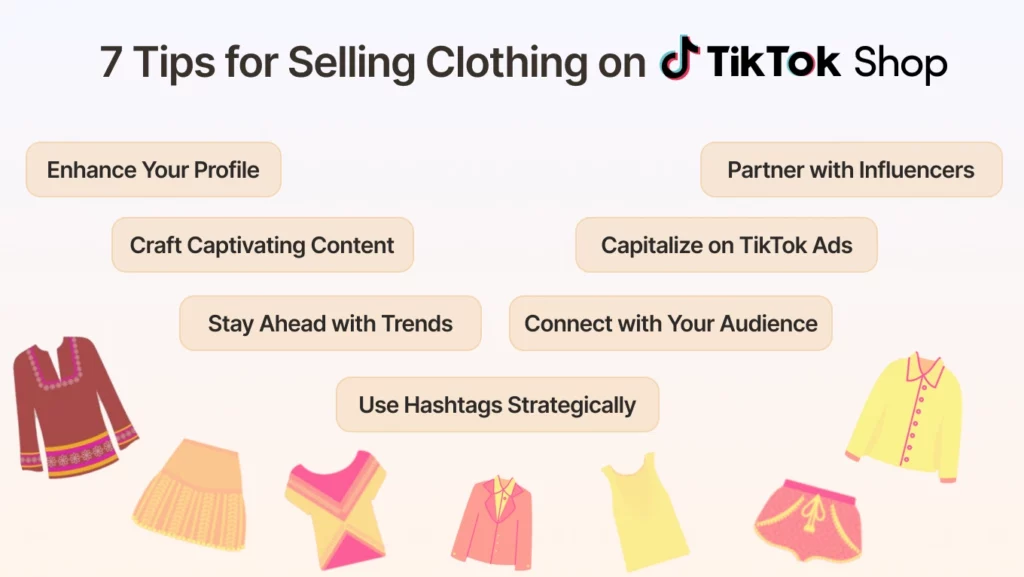
- Enhance Your Profile for Maximum Impact: Suppose your specialty is trendy streetwear. Your videos consistently use a showcase style to attract the right audience. Building a cohesive brand presence will help potential customers quickly identify and remember your offerings.
- Craft Captivating Content: If you specialize in eco-friendly activewear, you might film a video demonstrating the sustainable materials used and the care taken in crafting each piece, from fabric selection to the final packaging. This approach highlights your product and builds trust and relatability with your audience. You can visit this page for more information about TikTok Shop content creation.
- Partner with Influencers: If you sell fitness apparel, partner with a fitness influencer who can demonstrate your products in action and offer a 10% off coupon to customers who share their workout routines wearing your gear.
- Stay Ahead with Trends: Monitor fashion season trends to be informed. With M2E Multichannel Connect, a stock control feature you can track how much inventory you have left and distribute it across channels or reserve stock for the next season or sale. For example, if a “before-and-after” outfit challenge is trending, highlight your clothing line’s versatility, keeping your audience engaged and aware of your inventory.
- Capitalize on TikTok Ads: Consider investing in TikTok Ads to highlight your clothing videos and enhance your reach. For example, if you sell vintage-inspired dresses, create an ad campaign targeting users interested in retro fashion.
- Connect with Your Audience: If you launch a new collection of summer dresses, host a live session to display the dresses, discuss their features, and provide a unique discount code for viewers. You can find out how to engage with the right audience here.
- Use Hashtags Strategically: If you sell eco-friendly clothing, use hashtags like #SustainableFashion and create a branded hashtag such as #EcoChicBy[YourBrand]. This strategy enhances user-generated content and elevates brand visibility.
Summary
Streamline your operations, maximize your reach, and watch your sales soar with our seamless M2E Multichannel Connect integration and powerful tools. Remember to check our blog to find the best e-commerce tips and insights.
