TikTok has evolved beyond being just a social app – it’s now a significant channel for e-commerce. Creators, freelancers, and small businesses are eager to sell digital products, e.g. templates, eBooks, or online courses.
However, here’s what many sellers don’t realize upfront: TikTok Shop does not officially permit the direct sale of digital-only products. The platform requires physical delivery to complete an order, which means a PDF or video file on its own doesn’t meet the rules.
That said, this isn’t a dead end. Many sellers are already offering digital products legally and effectively by utilizing innovative and creative workarounds. In this guide, we’ll walk you through how to do the same – without breaking the rules.
Why TikTok Shop Doesn’t Support Digital Products (and What You Can Do About It)
TikTok Shop is designed for physical goods – items that are shipped and received. Purely digital products, like downloadable files or streaming access, can’t be sold through the Shop by default.
Important: If you’re selling a digital product, be sure to include a physical component – such as a printed postcard with a QR code or a mailed access card – to stay compliant. TikTok’s Seller University guidelines offer complete details on listing policies.
However, you can still use TikTok to sell your digital product – you need to package it properly. Many sellers already use one of these fully compliant workarounds:
1. Sell a physical version of your digital product
This is the most straightforward option. You turn your digital item into a physical product by adding a printed or packaged component. For example:
- A printed postcard with a QR code that links to your online product
- A USB flash drive containing your files
- A custom envelope that includes instructions or access codes
Yes, this adds some production cost – but it makes your offer eligible for TikTok Shop. With low competition for high-quality digital products, the payoff can be worthwhile.
2. Bundle a digital product with a physical item
This is a smart hybrid model. You sell a physical product and include a digital bonus alongside it. For example:
- A printed thank-you card + access to a bonus video tutorial
- A physical workbook + downloadable PDF tools
- A sticker pack + link to a preset, checklist, or template
As long as the physical item is part of the transaction, the listing meets TikTok’s delivery requirement.
3. Sell a service with digital delivery
If you’re offering design work, mentoring, video editing, or another creative service, you can sell it as a “physical” order with symbolic delivery – like a mailed receipt or certificate. Once the order is complete, you will deliver the actual product via email or cloud link.
This model is especially popular with freelancers. It allows you to promote high-value, digital-first services on TikTok without violating any policies.
You can sell digital products on TikTok – just be smart
You don’t need to give up on selling digital products on TikTok. You need to reframe how you deliver them. With the proper structure, you can build a fully compliant business that leverages TikTok’s reach and selling power.
In the rest of this article, we’ll show you how to set up your tech stack, create content that drives clicks, and use tools like M2E Cloud to manage your listings across TikTok, Amazon, and other marketplaces.
Tech Setup to Consider When Selling Digital Products on TikTok
Selling digital products on TikTok starts with great content, but it doesn’t end there. You also need a backend that’s simple, fast, and reliable. From payment processing to product delivery, your setup needs to run smoothly, especially if a video goes viral.
Here’s how to build a tech stack that works.
Workaround
Use external platforms designed for digital product sales. Tools like Gumroad, Shopify, Payhip, and Koji allow you to sell, deliver, and market TikTok digital products – all while offering clean checkout flows. For sellers using TikTok Shop, the workaround is to integrate one of these tools with a physical component. That way, you meet TikTok’s rules but still keep your digital core.
Solution
There are several steps you can follow to set up a digital product:
Choose a hosting platform
- Shopify. Great for scaling your digital product business. Best of all, Shopify connects directly with TikTok Shop via M2E Cloud’s integration, allowing you to sync listings, manage orders, and track sales from a single dashboard.
- Gumroad. It’s a top pick for solo creators. Easy to set up, no monthly fees to start, and perfect for eBooks, guides, and templates.
- Payhip. Similar to Gumroad but with extra tools for running discounts, collecting emails, and offering affiliate rewards.
- Koji. A lightweight, mobile-first option that works right inside your TikTok bio.
Set up your TikTok bio link. Use a tool like Linktree, Koji, or Beacons to list your products. Label each button clearly: “Get the planner,” “Download the guide,” and “Shop presets.” Put your best-seller or lead magnet at the top.
Create a landing page or email capture. Tools like ConvertKit or Mailchimp help you build lists. Offer a freebie in exchange for an email, then promote your whole product line later. Pair this with TikTok content like: “Want the free version? Link in bio.”
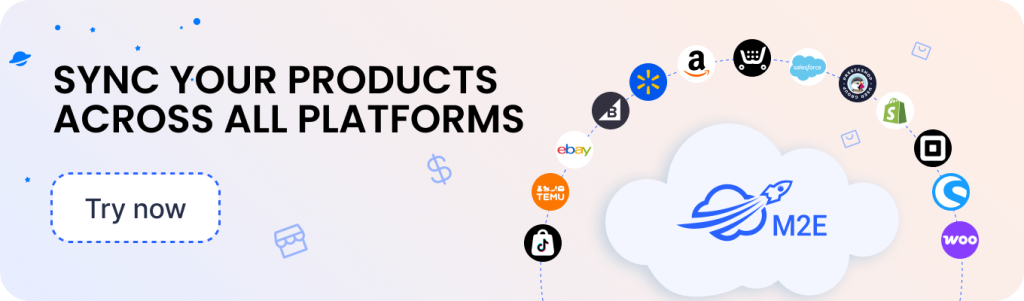
Automate multichannel operations with M2E Cloud. If you’re already on Amazon, eBay, or Walmart, use M2E Cloud to sync all your listings. It:
- Syncs inventory across TikTok, Shopify, and other marketplaces
- Centralizes order tracking
- Automates product and pricing updates
- Focuses on content, not logistics
With this setup, you stay compliant, deliver fast, and scale without extra effort.
Why TikTok Is Still Great for Digital Product Creators
Even though TikTok Shop doesn’t natively support digital-only listings, it remains one of the best platforms for creators to promote and sell their digital products. Here’s why:
- Massive reach, low entry barrier. TikTok’s algorithm rewards good content – not follower counts. If your video solves a problem or entertains, it can go viral. One helpful video about your Notion template or eBook can drive thousands of profile visits, even if you’re just starting.
- Perfect for quick storytelling. TikTok is made for bite-sized storytelling. You can show how your digital product works in 30 seconds or less. Use relatable struggles and before-and-after transformations to make your content engaging and personal.
- Built-in e-commerce tools. TikTok continues to expand its in-app shopping features. While digital files alone don’t qualify, you can still link to platforms like Gumroad or Shopify from your profile – or use a hybrid model to list on TikTok Shop. Shopify + TikTok integration through M2E Cloud also helps you sync and scale your listings.
- Strong organic growth. Unlike many platforms that rely on paid ads, TikTok still rewards valuable content. A strong video with helpful tips or a clever hook can reach thousands – without a big budget. For creators, that means higher ROI and faster growth.

Best Digital Products for TikTok Creators
Some digital products perform exceptionally well on TikTok because they’re easy to show and solve a clear problem. If you can demonstrate value fast, your product is already on the right track.
- eBooks and guides. Create content around personal wins – “How I saved $1,000 in 30 days” or “What I learned freelancing full-time.” Share a sneak peek inside your guide, highlight one helpful tip, and direct viewers to your bio link.
- Canva templates and Notion setups. Use “reset my week” or “organize with me” formats to show your setup in action. Viewers love aesthetic dashboards, planners, and design kits. Pair them with trending audios for reach.
- Lightroom presets and filters. Visual proof sells. Before-and-after comparisons work perfectly in TikTok’s short-form format. Show 2–3 quick edits with captions like “All done with this preset pack” or “Mobile-friendly edits in one tap.”
- Online courses and masterclasses. Teach something useful. Start your video with a hook, such as “3 ways I landed my first client.” Share a mini-lesson and invite viewers to get the whole course in your bio. Bonus points if you add social proof from past students.
- Software, apps, and plugins. If your tool saves time or improves workflows, show it live. Whether it’s a scheduler, AI prompt bank, or design extension – a 15-second demo can drive massive interest. Please focus on the pain point and how you solve it.
- Audio packs and digital art. Visuals and sound drive TikTok. Music creators and designers can thrive in this environment. Show time-lapses of your illustrations or previews of your beats. Mention licensing terms if your content is for commercial use.
Examples of high-performing TikTok digital goods
Looking for inspiration? These product types are trending with creators and microbusinesses alike:
- Printable planners and trackers
- Resume and portfolio templates
- Social media post bundles
- Meditation tracks and affirmation audios
- Brand kits for small businesses
- Digital journals and productivity bundles
If your digital product makes life easier, solves a problem, or looks fantastic in action, it has real potential on TikTok.
Legal and Copyright Tips for Selling Digital Products on TikTok
Selling digital goods on TikTok opens exciting doors – but skipping legal basics can shut them fast. TikTok has strict rules, and so does copyright law. Stay compliant to protect your business and keep your listings live.
Always use licensed assets
Using free fonts, images, music, or videos in your product? Make sure they come with commercial rights. If they don’t, you can’t legally resell them.
The safest options:
- Create assets yourself
- Buy from trusted marketplaces that offer resale or extended licenses
This is especially important if you’re selling design templates, digital art, or audio packs.
Stick to TikTok’s content guidelines
TikTok doesn’t allow reused or misleading content. Avoid:
- Reposting someone else’s video or music
- Making big claims your product can’t back up
- Using deceptive pricing or urgency tactics
For example, “Make $5,000 in a week with this template” is a red flag. Stick to honest, helpful messaging. You can find detailed dos and don’ts in TikTok Seller University.
Add a clear disclaimer
Be upfront about what’s included. On your product page or download folder, add a simple terms-of-use note. Say whether buyers can use your product for personal or commercial use. If you’re including third-party content, clearly indicate which parts are original and which are licensed.
Pro tip: Include a “Read Me” file in every product that outlines rights and restrictions.
Learn more about approved content in TikTok Seller University’s listing guide.
Include terms and disclaimers
Make your product pages clear and honest. Explain what’s included, what format it comes in, and how buyers can use it. If it’s for personal use only, say so. If commercial use is allowed, add usage terms to protect yourself and set boundaries.
Pro tip: Include a “Read Me First” PDF with licensing information in every download.
How to Promote Your Digital Products With TikTok Analytics
TikTok gives you the reach – your job is to track what works and make it repeatable.
Use TikTok’s built-in analytics
Switch to a Business Account to unlock TikTok analytics. Focus on metrics like:
- Watch time. Are people watching to the end?
- Profile views. Are they clicking through to your bio?
- Shares and saves. Is your video worth revisiting?
A video that drives profile traffic or high watch time is worth remaking or boosting.
Track clicks with UTM links
Want to know if TikTok is driving real traffic to your product page? Add UTM tags to your bio links. Tools like Google Analytics, Bitly, or Koji will show exactly where clicks come from and what happens after.
A/B test your content
Try posting two versions of a similar idea. One might be a tutorial, the other a testimonial. Or test different hooks:
- “Here’s how I organize my life in Notion”
- “This one page saved me 5 hours a week”
Watch which one gets more engagement, and use that style going forward.
Regularly enhance performance
A video that succeeded once doesn’t guarantee it will succeed every time. Evaluate your content each week. Reinforce what is effective. Store or adjust what isn’t. TikTok values consistency, meaning that minor enhancements can result in significant successes over time.
How to Make Your TikTok Shop Listing Work
Your TikTok Shop listing is more than a formality – it’s your product’s first impression. If done correctly, it stops the scroll, answers questions, and encourages buyers to take action. Done wrong, it gets ignored. Here’s how to stand out.
Use scroll-stopping visuals
TikTok runs on visuals. Use clean mockups, high-quality screenshots, or short screen recordings that show your product in action. If you sell a template, record a walkthrough. If it’s a course, include a lesson preview. Your visuals should show the product’s value instantly – no sound required.
Write benefit-first descriptions
Skip long intros. Lead with what your product helps people do – faster, better, or easier. Be clear and direct.
Example:
✅ “Save 5 hours a week with this Notion planner”
❌ “Customizable weekly layout with multiple sections and blocks”
List your top features after the hook, and write in a way that your buyer would speak.
Use hashtags that help you get found
Hashtags are how TikTok surfaces listings. Pick ones that match what your audience is searching for, not just what’s trending.
Try tags like:
- #freelancetools
- #smallbusinesstips
- #notiontemplate
Stick to 3–5 focused hashtags in your listing and captions.
Add urgency with promotions
TikTok users scroll fast – give them a reason to pause. Time-sensitive deals and bonuses can boost conversions. Use phrases like:
- “Today only: 50% off”
- “Free eBook with every order”
- “First 100 downloads get a bonus file.”
You can also test weekly flash deals to see what drives the most clicks.
Build trust with proof
Social proof matters. A customer comment, review, or short video using your product does more than a polished sales pitch. Just getting started? Highlight your first happy user or a message from a real buyer.
You can read the official TikTok listing guide here to avoid policy violations and improve your listing visibility.
How M2E Cloud Integration Simplifies Multichannel Selling
Selling digital products on TikTok is exciting, but it gets more complex if you’re already active on platforms like Amazon, Walmart, or eBay. Managing listings, orders, and inventory across multiple marketplaces can become a daily headache. That’s where M2E Cloud comes in.
M2E Cloud connects your TikTok-linked store with your other sales channels and automates the behind-the-scenes work. You can stop juggling spreadsheets and start focusing on what matters – creating content and growing your brand.
Why use M2E Cloud with TikTok?
- Sync your inventory across all platforms. No more overselling or double-listing. M2E Cloud automatically syncs product quantities and details between TikTok Shop, Amazon, eBay, Walmart, and Shopify (if you’re using it to host TikTok digital products).
- Centralize order management. Track and fulfill all your orders from one clean dashboard – even if they come from different platforms. This helps avoid missed orders or late fulfillment penalties, especially if you use physical bundles to sell digital goods on TikTok Shop.
- Automate product updates. If you change a price, product name, or stock count on one platform, M2E Cloud can push those changes across your connected marketplaces. No more copy-pasting descriptions or logging into five different dashboards.
- Expand without chaos. TikTok is just one piece of the e-commerce puzzle. M2E Cloud lets you scale without adding stress, especially if you’re building a multichannel brand.
How to get started with M2E Cloud
- Create an account at m2ecloud.com and enjoy a 30-day free trial.
- Connect your store – TikTok Shop, Amazon, eBay, Walmart, or Shopify
- Choose your sync preferences and map products
- Follow the step-by-step integration guide at docs.m2ecloud.com to get up and running in minutes
You don’t need a tech background or developer help. The interface is simple, and the setup is designed for sellers, not engineers.
Let M2E Cloud handle the busy work so you can stay focused on content, customers, and conversions.