
eBay wants every buyer to see variety – not twenty copies of the same item from one seller. That’s why the platform enforces a Duplicate Listings Policy, designed to keep search results fair, relevant, and clutter-free.
The rule is simple: you can’t list the same product more than once at the same time if it’s identical in price, condition, and format.
This policy prevents sellers from flooding eBay search results with near-identical items and dominating visibility. It also ensures that all merchants have an equal chance to reach buyers and that customers can browse real product choices, not repeated listings.
When you follow the policy, you gain trust – from both eBay and buyers. Your listings appear more professional, your store looks organized, and your seller reputation stays strong. When you ignore it, your account performance can drop fast.
What Counts as a Duplicate Listing on eBay
Not every similar listing violates eBay’s policy. The system considers several factors before determining if two listings are duplicates.
A duplicate listing is any fixed-price or auction item that’s essentially the same as another active listing you have – even if it appears under a different category or account.
eBay considers listings duplicates if they have:
- The same title, description, and photos
- Identical prices and conditions
- Matching product identifiers (UPC, MPN, or EAN)
- The same compatibility or item specifics
Here are common cases that trigger the rule:
- Listing the same product twice in different categories – yes, some sellers do it, but let’s just say eBay isn’t a fan of such bravery
- Using several seller accounts to list the same SKU
- Slightly changing the title or adding a small “bonus” to make duplicates look unique
Some duplicates occur by mistake – for example, when sellers relist items manually or use multiple tools that fail to sync inventory. But intentional or not, eBay treats both cases the same way.

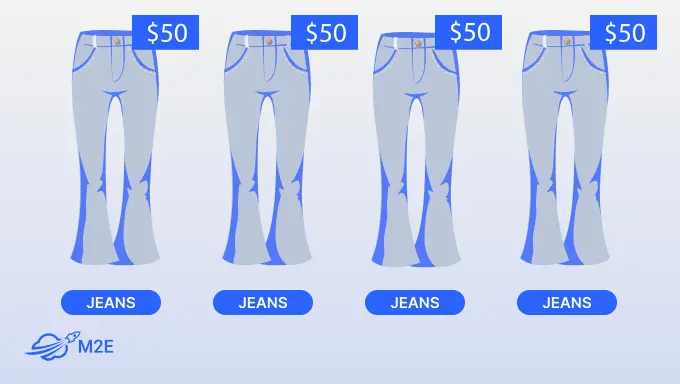
To stay compliant, you should:
- Combine similar products into a multi-quantity listing
- Group variations (like color or size) under one listing
- Use a single account for each item type or SKU
Why Duplicate Listings Hurt Your Sales
At first glance, posting the same product multiple times is a good way to increase visibility. In reality, it does the opposite.
Duplicate listings can:
- Hurt your search ranking. eBay’s Best Match algorithm hides or pushes down duplicate listings, so they appear less often in search results.
- Cause lost sales. When listings compete against each other, they split buyer attention and traffic.
- Disrupt inventory accuracy. You might oversell or undersell if SKUs appear multiple times.
- Damage your account health. eBay may remove your listings, lower your seller rating, or even restrict your account.
- Affect linked accounts. If you manage multiple eBay stores, one violation can impact all connected accounts.
In short, duplicates waste your time and reduce profits. They also create the impression of spam, which drives buyers away.
Using automation through M2E Multichannel Connect eliminates most of these risks. The system helps you centralize your inventory, manage multi-quantity listings correctly, and prevent duplicates before they appear – keeping your account safe and your store professional.


How M2E Cloud Helps You Stay eBay-Compliant
One of the most difficult marketplace policies is eBay’s policy against duplicate listings – and rightly so. However, for large catalog sellers with multiple warehouses or a chain of affiliate stores, manual compliance can be a nightmare.
Duplicate listings may occur when your stock is synced from multiple sources, when you relist sold-out items, or when you make slight edits to product data and accidentally publish them again as new.

Here’s how M2E Cloud keeps you compliant and worry-free:
- Centralized control. Manage all your products from one dashboard, eliminating the need to juggle spreadsheets or separate tools. M2E Multichannel Connect tracks every SKU across marketplaces to ensure only one active listing per eBay market.
- Real-time sync. Any price or inventory change in your source store – Shopify, Shopware, BigCommerce, or others – instantly updates on eBay, removing the need for manual edits or duplicate uploads.
- Automatic duplicate checks. M2E Cloud scans for matching SKUs, product IDs, or similar titles before listings go live. You’ll get an alert if something looks off, helping you fix it early.
- Multichannel clarity. Selling on eBay, Amazon, and Walmart? Each marketplace uses its own unique product identifiers (like ASINs or eBay Item IDs), so listings from different channels don’t overlap or create duplicates.
- Complete transparency. Activity logs show when and how changes happen, making it easy to find and fix issues.
eBay Integration by M2E Cloud simplifies compliance, protects your seller reputation, and keeps your listings clean – so you can focus on selling, not sorting out duplicates.
Useful feature #1. Create multi-quantity listings
With M2E Multichannel Connect, you can publish your products on eBay as multi-quantity or variation listings. This combines similar items – like different colors or sizes – under one listing, keeping your catalog organized and compliant with eBay’s Duplicate Listing Policy.


Here’s how it works:
- Open your eBay items. In the Listings tab, choose your account and click List on eBay.
- Pick your marketplace. Select the correct regional eBay site (e.g., eBay UK, eBay US).
- Set policies and stock. Use Fixed Price (not Auction) and adjust quantity settings – reserve stock, show limited amounts to create urgency, or sell in lots.
- Select products. Add items from your catalog, including all available variations.
- Add categories and specifics. Choose the right eBay category and fill in item details to boost search visibility.
- Publish. Click List Now or Save as Draft.
By grouping variations, you create one clean listing that eBay prefers and rewards in Best Match search.
Learn more in the complete guide: How to list multi-quantity on eBay with M2E Cloud.
Useful feature #2. Cancel listings safely
Sometimes you need to end an item early – maybe it’s sold out, damaged, or mislisted. Canceling listings directly from eBay can be time-consuming and error-prone, especially when managing hundreds of SKUs.
With M2E Multichannel Connect, you can stop listings in just a few clicks:
- Open the Listings tab and choose your eBay account.
- Use filters or search to find active listings.
- Select multiple items using checkboxes.
- Click Manage Items → Stop to end them instantly.


Once stopped, the listing automatically ended on eBay, too. This ensures you don’t relist duplicates or lose track of which listings are still active.
Pro tip: Avoid ending listings unless necessary – if there’s a small mistake, try revising price, title, or description instead.
Useful feature #3. Link Channel items
Link Channel items prevent duplicate listings by connecting your marketplace items with products in your store catalog. After they are connected, M2E knows which ones are already listed so that it won’t list them again.
Here’s how it helps:
- Keeps listings unique. Linking connects every marketplace item to a specific store product, preventing accidental duplicates.
- Syncs inventory automatically. Linked items share the same stock and pricing data, ensuring your listings are accurate across all platforms.
- Works at any scale. You can link products automatically by SKU or product ID, manually for smaller catalogs, or in bulk using CSV for extensive inventories.
By linking your Channel and Store products, you keep your catalog organized, avoid listing conflicts, and stay compliant with eBay’s Duplicate Listing Policy.
Useful feature #4. Prevent duplicate listing
Duplicate listings can appear even in well-managed stores – especially when products aren’t appropriately linked between your store and marketplaces.
How to do it in M2E:
- Find unlinked products. Go to the Listings tab, select your Channel account, and use filters to locate items that aren’t linked to your store category. This is often the cause of duplicates.
- Link matching items. Click Link, search by title, SKU, or Product ID. Now you can start real-time synchronization or sync later if necessary.
- Handle variations. If the item includes multiple variations (such as sizes or colors), link all of them to the correct product.
- Bulk link large inventories. Export your listings as a CSV file, adjust SKUs or Product IDs, and re-import to link products in bulk.
- Enable synchronization. Once everything is linked, enable automatic sync to ensure M2E Cloud maintains accurate product data and prevents future duplicates.


By linking all your items, you clean up existing duplicates, align inventory across channels, and ensure new listings stay organized and compliant with eBay’s Duplicate Listing Policy.
Say Goodbye to Duplicate Listings
Duplicate listings may seem insignificant, but they can quickly lead to loss of visibility, penalties, and even account limits. eBay rewards clean, well-organized catalogs – and punishes cluttered ones.
Follow these proven practices to protect your eBay business:
- Use one listing tool. Don’t mix manual eBay with automation tools. If you use M2E Cloud, rely on it entirely to manage all listings – this ensures the system can accurately track every item.
- Keep SKUs unique and consistent. Never reuse SKUs, barcodes, or product IDs across listings, even if the item seems similar. Each unique product should have a clearly defined identifier.
- Avoid ‘test’ or placeholder listings. Sellers sometimes create temporary listings to test pricing or keywords – but if forgotten, they can trigger duplicate violations. Instead, use draft mode inside M2E Cloud for safe testing.
- Be careful with relist. When an item sells out, let M2E Cloud automatically relist it using the same listing ID, instead of creating a brand-new one.
- Audit your listings regularly. A monthly check with M2E Cloud takes just minutes and can save you from suspension. Review activity logs, compare listings, and use SKU-based searches to stay in control.
- Use automation wisely. Automation plugins are powerful, but they can create duplicates if not configured correctly. M2E Cloud’s automated validation rules only allow for one listing per SKU per eBay market to be published.
By being proactive and utilizing tools like M2E Cloud, you can prevent policy violations and eliminate the need for manual cleanup. The platform keeps your listings in sync, identifies duplicates automatically, and enables you to comply with every ebay compliance rule with ease.
A clean catalog means better SEO, higher buyer trust, and smoother operations across all your channels.