Amazon is one of the strongest supplement sales channels in Europe. Demand keeps rising: for example, more than 70% of German shoppers already buy supplements online, and Amazon.de is their first choice.
This opportunity comes with strict rules. Supplements are treated as food in the EU and the UK, and Amazon enforces the law. If your label, ingredients, images, or claims aren’t compliant, your listing can be removed without warning.
This is why many sellers use tools like M2E Multichannel Connect from day one.
M2E helps you manage listings, product data, responsible person details, stock, and orders from one system – so you don’t have to manually rebuild every product in each Amazon marketplace or risk compliance issues caused by inconsistent data.
In this guide, we’ll walk through what you must know to sell supplements legally on Amazon in the EU and UK – and show how M2E helps you keep data accurate, listings compliant, and operations scalable across Amazon marketplaces.
You can set up the listing yourself or choose an M2E Listing Service for Amazon. If you need help listing vitamins and supplements – or want everything set up correctly from day one – just contact our team, and we’ll take care of the process for you.
We handle product setup, required attributes, category selection, and synchronization settings so you can focus on sales rather than technical details.


Understand What Counts as a Food Supplement
Amazon defines supplements as foodstuffs with concentrated nutrients, such as:
- Vitamins
- Minerals
- Amino acids
- Plant extracts
They supplement a regular diet and have a nutritional or physiological effect. In practice, supplements can appear as:
- Capsules and tablets
- Powders
- Gummies
- Liquids or drinkable shots
They belong to the larger group of prepacked foods, which follows strict food labelling rules.
If you are hesitating about your product type, it’s always a good idea to check the Amazon Seller Centre for all the regulations.

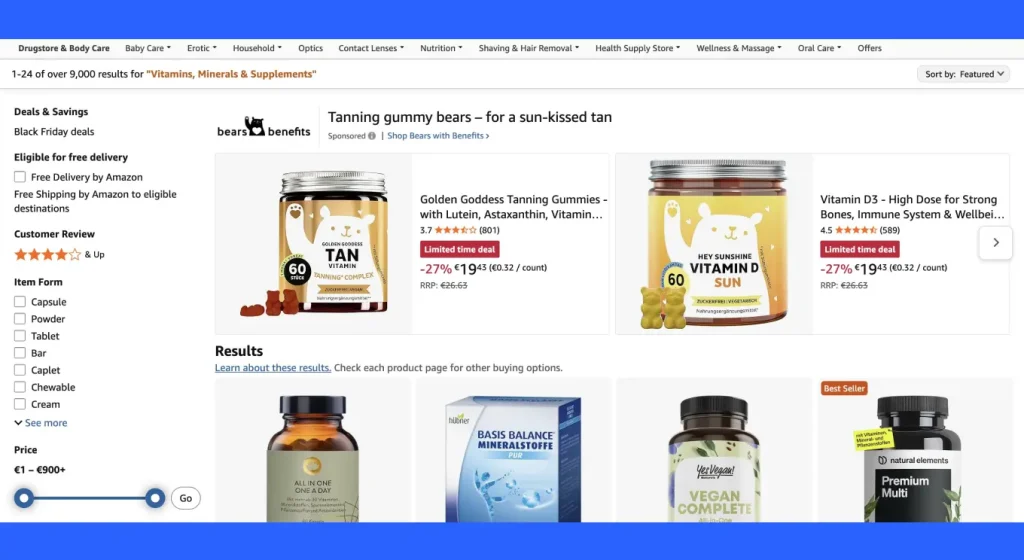
Learn the Rules You Must Follow to Sell Supplements on Amazon
Selling supplements in Europe means working under several layers of law.
Here are EU-wide rules you must respect:
1. EU Food Information for Consumers Regulation (EU FIC 1169/2011)
The EU Food Information for Consumers Regulation sets what must appear on a food label and how the information must be shown.
For Amazon listings (distance selling):
- All mandatory information must appear on the detail page
- The same information must be on the physical product
- Text and images must not contradict each other


2. Directive 2002/46/EC on food supplements
This is the EU directive that lays down the basic rules for food supplements sold within the EU. It includes pre-packed food supplements sold directly to the consumer. It also harmonizes which vitamins and minerals you can use in supplements, and in which approved forms.
For you as an Amazon seller, this directive shapes three things. It influences which ingredients can go into your formula, how you present them on the label, and how you describe the product in your Amazon listing for EU buyers.
You can read the latest consolidated version of Directive 2002/46/EC on the official EUR-Lex website.
UK after Brexit
Since January 2021, the UK has followed its own adapted versions of:
However:
- Great Britain (England, Scotland, Wales) uses UK versions
- Northern Ireland follows EU rules under the NI Protocol
If you sell in the EU and UK, you must check both sets of requirements.
Run a Compliance Check Before You List
Before listing your products on Amazon, confirm that your supplement is legally allowed.
1. Check your formula
- Use only EU/UK-approved ingredients
- Avoid novel foods unless they have specific authorisation
- If an ingredient wasn’t consumed in the EU before the cut-off date, it may require novel food approval
2. Confirm your responsible person
If you sell in the EU or UK, Amazon also requires this information under the General Product Safety Regulation (GPSR). In practice, it means you must submit the same manufacturer or importer details during the listing process, not only on the packaging.
Pro feature for M2E users: With M2E Multichannel Connect, you can save your Manufacturer and Responsible Person details once and let the app handle GPSR for you.
For a detailed setup guide, check our Amazon GPSR compliance guide.


3. Follow country-specific rules
Just to keep everything clear, let’s consider Germany as an example.
For Amazon.de, you must follow EU rules plus German national rules. According to Amazon Germany’s guidance, all supplements must:
- Notify the German Federal Office of Consumer Protection and Food Safety (BVL) before listing
- Provide composition and packaging details through the BVL portal
- Comply with the German food supplements regulation (NeMV)
So, it’s always a good idea to check the rules and regulations of the particular country you’re selling to.
4. Prepare correct language versions
Your label and Amazon listing must appear in the marketplace’s language.
Online information must match the packaging exactly. Use the exact wording for ingredients, warnings, and instructions. Don’t translate or shorten only one of them. If buyers see different details online and on the package, Amazon can reject the listing.
5. Pay attention to your claims
Claims are the most common reason Amazon removes supplement listings.
Nutrition claims
Allowed only if they appear in Regulation 1924/2006.
Examples:
- Source of calcium
- Low fat
- High fibre
- Reduced salt
Your product must meet the exact conditions of use.
Health claims
These link a nutrient to a health function, for example:
- Calcium helps maintain normal bones
Rules:
- EU: Only EFSA-authorised claims allowed
- UK: Uses its own register, but the logic is the same
- Generic “healthy” or “good for you” statements are only allowed when backed by a specific authorised health claim
Prohibited claims
- Claims to prevent or cure diseases
- Promises of weight loss amount or speed
- Endorsements by individual doctors
- Statements that imply people will be unhealthy without the product
Cross these lines, and Amazon may remove your listing immediately.
What a Compliant Supplement Label Must Include
Your label is your strongest compliance tool. If it is wrong, your listing will be removed.
A correct supplement label must include:
| Category | What must appear |
| Identity | Product name and form (capsules, powder, liquid) |
| Ingredients | Complete list in descending order, allergens highlighted (e.g., milk, soy, nuts) |
| Active substances | Amount per serving and recommended daily dose |
| Nutrition declaration | Energy, fat, saturates, carbs, sugars, protein, salt. Vitamins and minerals with %NRV when present in significant amounts |
| Warnings | ‘Keep out of reach of children’, age limits, pregnancy warnings (if relevant) |
| Packaging details | Net quantity, durability date (‘best before’ or ‘use by’), batch or lot number |
| Operator | Name and address of EU/UK manufacturer or importer |
| Origin | Country of origin and primary ingredient origin (if relevant) |
| Storage and use | Storage instructions + preparation/use instructions |
Understand Amazon Fees Before You Price Your Supplements
Before you set your prices, you need a clear understanding of Amazon’s fees. Supplements often run on thin margins, so even a slight miscalculation can turn a sale into a loss.
Amazon offers two selling plans:
- Individual plan: €0.99 (excl. VAT) per item sold, plus a referral fee
- Professional plan: €39 (excl. VAT) per month, plus referral fees
Knowing which plan fits your sales volume is the first step to setting prices that stay profitable.
Most supplement sellers use the Professional plan. It allows advertising, bulk listings, and advanced account tools.
Referral fees
Amazon takes a commission on every sale. Supplements fall under Health & Personal Care or Grocery & Gourmet, where referral fees are typically:
- Around 15% for products over €10
- Around 8% for products under €10
Fulfilment fees
Your delivery method affects your costs. With Fulfillment by Amazon (FBA), you pay:
- a per-unit fulfilment fee (based on size and weight),
- a monthly storage fee.
Storage costs rise during peak season and for slow-moving products.
With Fulfillment by Merchant (FBM), you handle shipping and returns yourself. Amazon charges no fulfilment fee, but you also don’t get automatic Prime eligibility.
A simple cost example
Here’s what a basic product might look like in practice:
| Item | Example cost |
| Product price | €10.00 |
| Referral fee (8%) | €0.80 |
| FBA fulfilment | €2.39 |
| Storage | ~€0.01/month |
*These are estimates only. Always confirm your real costs using Amazon’s revenue calculator.
Other costs to keep in mind
Many sellers forget about:
- VAT and VAT registration,
- returns and removals,
- inventory disposal,
- advertising spend,
- long-term storage fees.
Don’t forget to check Seller Central for current offers in your country before listing products on Amazon.
How to Add a Product on Amazon with M2E Multichannel Connect
In M2E, product listing begins with your store data. Each product must have a valid identifier such as a GTIN, EAN, or UPC. Amazon uses this code to match your product to its catalog. If the identifier is missing or invalid, the listing can’t go live and will remain incomplete.
Once identifiers are in place, you list products from the M2E Listings section by selecting your Amazon account and choosing the marketplace where the product should appear.

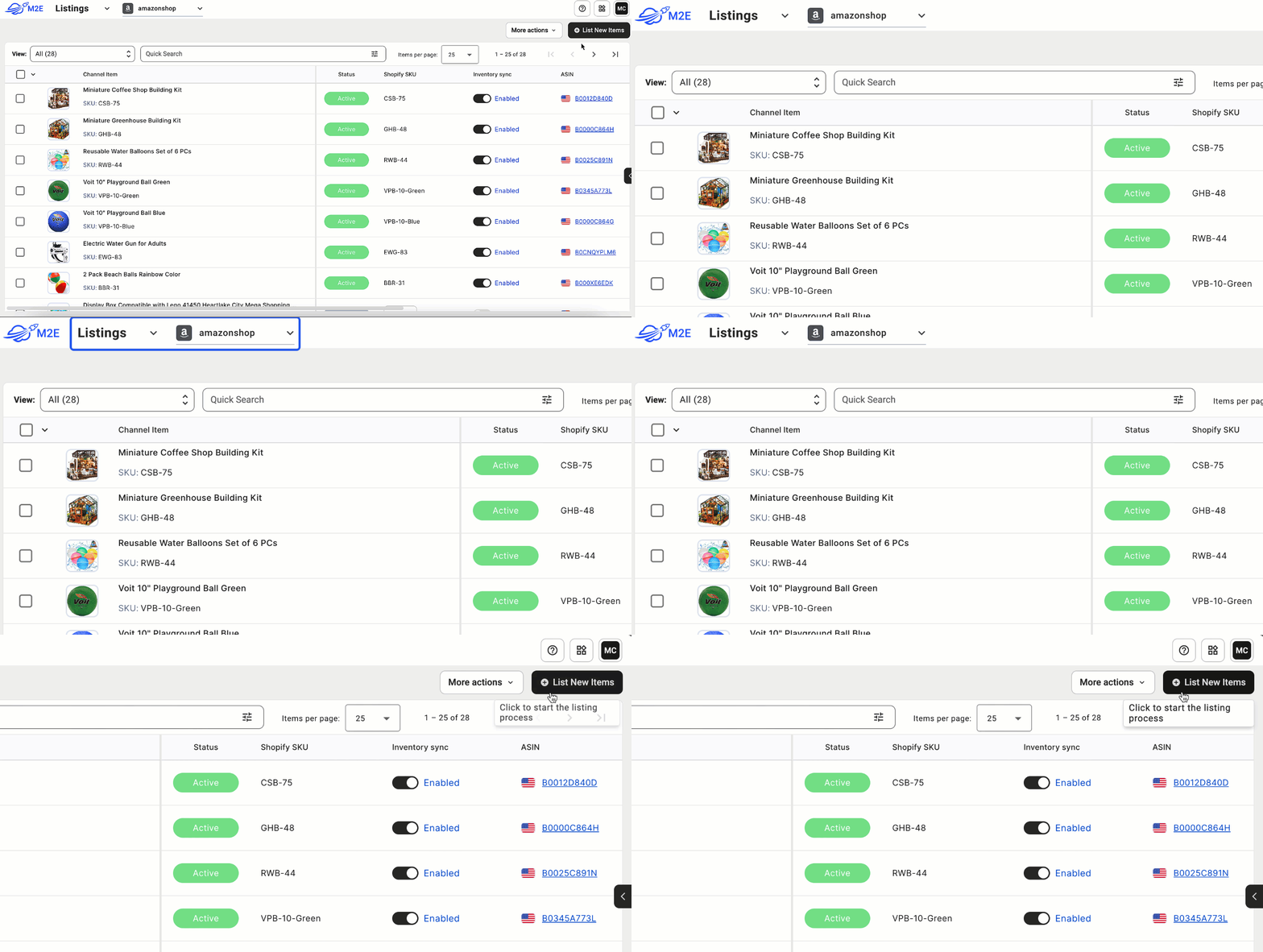
Supplements must be listed under:
Health & Personal Care → Vitamins, Minerals and Supplements
Before sending the product to Amazon, you assign listing rules in M2E. These include pricing logic, stock synchronization, shipping templates, and condition settings. You also choose where the product barcode comes from – either entered manually or pulled from a store attribute.

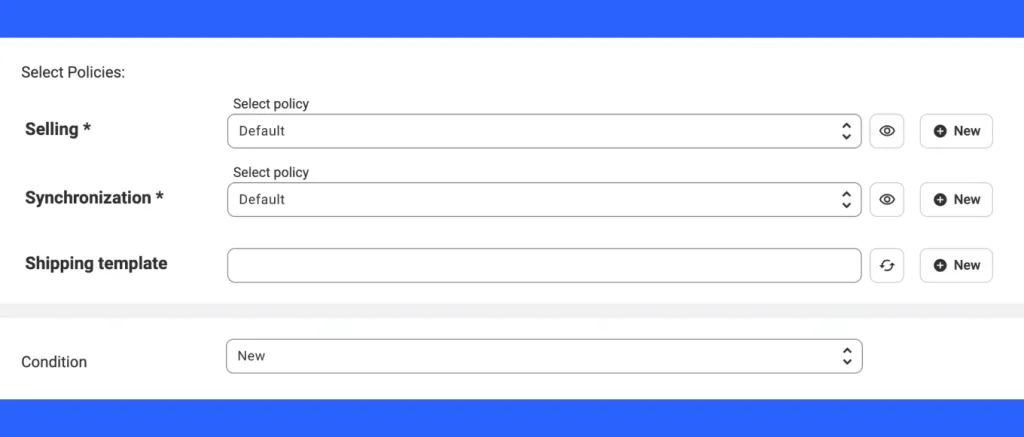
Pro feature for M2E users: When you create a new ASIN in M2E, you can sync all optional fields from your main store. This includes title, description, images, GPSR details, and attributes. That way, you keep complete control over your product page while M2E Multichannel Connect sends complete data to Amazon for you.
Amazon has several requirements for listing products. For supplements, content quality matters as much as compliance.
Your product title should follow this structure:
Brand + product + main benefit + form + quantity
Example: Magnesium Complex for Muscle Function, 180 Tablets

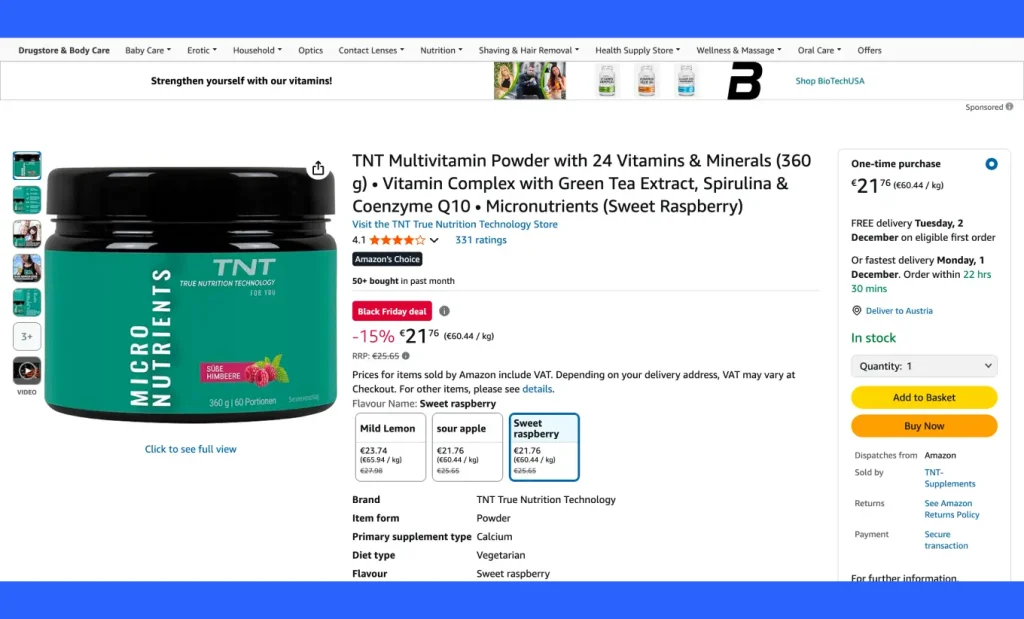
The description should clearly explain:
- what the product contains,
- what it is used for (within authorised claims),
- how it should be taken,
- who it is for.
Avoid medical language. Supplements are classified as food, not medicine.
With M2E, you can also sync images from your store. Or add new images that meet Amazon’s requirements.
First, remember that images must match the actual packaging.
| Image Type | Purpose |
| Main image | Front of pack on white background |
| Back of pack | Shows full label |
| Side panels | Ingredients, warnings, operator details |
| Ingredients panel | Full readable list |
| Nutrition panel | Complete table with %NRV |
| Scale image | Shows size or serving form |
| Multipack images | For bundles or outer boxes |
Listing time and status tracking
Most listings go live within minutes, but delays can happen. You can track status updates in the M2E Listings section. If something is missing, such as an invalid identifier or category mismatch, the app flags the issue so you can correct it before resubmitting.
Instead of repeating the same work across different Amazon marketplaces, M2E lets you manage catalog data in one place and send consistent product content to the selected marketplaces.
This setup eliminates manual work and reduces mistakes, which is vital for supplements, where even one incorrect detail on the label can cause compliance issues.If you need a step-by-step walkthrough, check out our guide on listing simple products on Amazon.
How M2E Handles Inventory Management and Order Fulfillment
Selling supplements across multiple channels means you must keep a close eye on stock, prices, and expiry dates. Mismatched quantities or outdated data can lead to overselling, bad reviews, or even compliance issues.
M2E Cloud helps you keep everything aligned without having to jump between accounts.
Manage inventory from a single system
With M2E, you manage inventory from a single place rather than manually updating each marketplace. Stock updates from your store are automatically sent to every connected channel.
Once your store and Amazon are linked, you turn on synchronization. From that moment, changes to price, quantity, or product details are pushed to all marketplaces almost in real time.
Note: Update stock in your store, not on the marketplace. M2E then sends the correct data to every channel, reducing the risk of overselling, especially for products with expiry dates.
Pro feature for M2E users: Set custom prices and control product quantities for your Amazon listings right from M2E. You can adjust prices by marketplace, apply pricing rules to specific products or categories, and cap available stock to prevent overselling or keep bundles and promos under control.
Choose the proper fulfillment method for your orders
Amazon has one of the best fulfillment systems in e-commerce. You aren’t limited to one option. You can store your products with Amazon, ship orders yourself, or use Amazon to fulfill orders from other channels.
FBA (Fulfillment by Amazon)
- Amazon ships orders to your buyers
- You send stock to Amazon warehouses
- Your products can get the Prime badge and faster delivery options
- Amazon handles storage, packing, shipping, and customer service
Check out our latest guide on Amazon FBA & Referral Fees, where we’ve covered all the details about Amazon Fulfillment services.
FBM (Fulfillment by Merchant)
- You ship orders yourself from your own warehouse or 3PL
- More control over packaging, shipping methods, and stock handling
- No automatic Prime badge, but you keep complete control of your logistics
MCF (Multichannel Fulfillment)
If you sell on more than Amazon, use Amazon MCF. Store your products in Amazon warehouses. Ship orders for other channels using Amazon delivery.
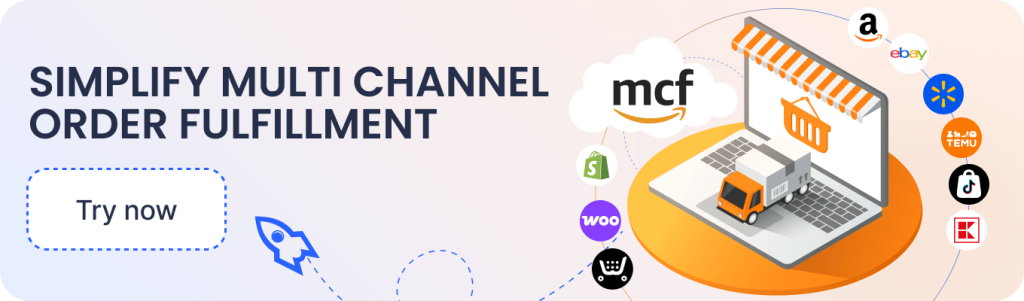
Pro feature for M2E users: Whether you use FBA, FBM, or MCF, M2E keeps everything in one place. You don’t need to switch between systems to manage stock and orders.
With M2E, you can:
- sync stock across channels,
- import Amazon orders automatically,
- send tracking numbers back to Amazon,
- manage returns and cancellations,
- reduce overselling risks.
This setup keeps your fulfillment flow stable and helps you scale without losing track of stock or orders.
Stay Compliant As You Grow
Compliance is not a one-time task. It is ongoing work you build into your daily routine. To stay safe:
- Keep label information up to date
- Make sure all translations remain precise and accurate
- Regularly review nutrition and health claims on your detail pages
- Check that your Amazon listing always matches your physical label
- Watch for Amazon policy updates and adjust your listings fast
Selling supplements on Amazon in Europe becomes much easier once you know the rules and keep your data clean. When your labels, claims, and responsible person details are in order, tools like M2E Cloud help you list faster, stay synced, and manage fulfillment as you grow across new marketplaces.
Once your labels, claims, ingredients, and responsible person details meet EU and UK requirements, the rest comes down to listing and managing your products in a clean, reliable way.
With M2E Cloud, you keep your catalog in one place, sync accurate information to every Amazon region, and streamline fulfillment as you expand to more marketplaces. This gives you a stable foundation to scale your supplement brand across Europe with confidence.