
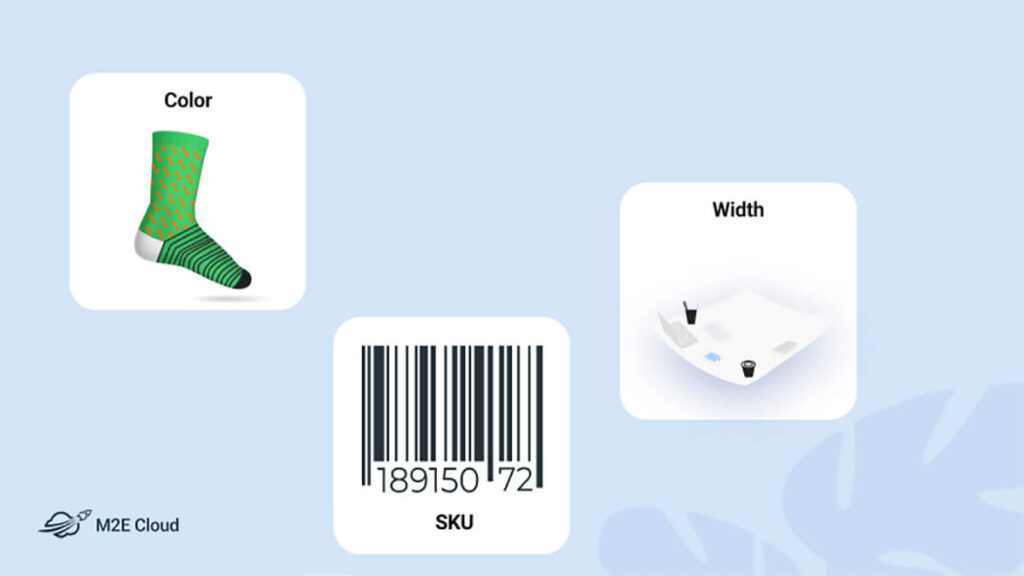
You don’t need elaborate marketing tactics to convince a shopper to buy from you. Often, the most persuasive thing you can do is give them clear, detailed information about the item they’re considering. That is where ecommerce product attributes matter.
According to Retail Times, 43% of consumers returned a product in the past year because the pre-purchase information turned out to be incorrect. Strong product attributes help prevent that mismatch. They give shoppers the details they need before checkout and reduce the risk of disappointment after delivery.
Wondering what is a product attribute exactly, how to use attributes to your advantage, and how to manage them efficiently across platforms? Our guide has all the answers you need.
Meaning of Product Attributes
Attributes are the details that describe a product. They give shoppers objective, technical information without the marketing gloss, which is part of why they work. A specification reads as fact, not persuasion.
Attributes fall into two categories. Tangible attributes are physical features a shopper can observe directly, such as color, shape, dimensions, or texture. Intangible attributes are qualities that can’t be seen or touched but still shape perception. Examples of product attributes in this group are brand reputation, country of origin, or warranty terms.
Both categories matter because shoppers rarely decide on physical traits alone. The point of attributes is to help them locate, compare, and choose the product that fits their needs.
Imagine someone searching for a backpack with multiple compartments. Dozens of listings will claim to meet that requirement. The attributes are what reveal the real difference: one backpack has two compartments, another has four, and a third has six plus a laptop sleeve. That level of detail is often what closes the sale.
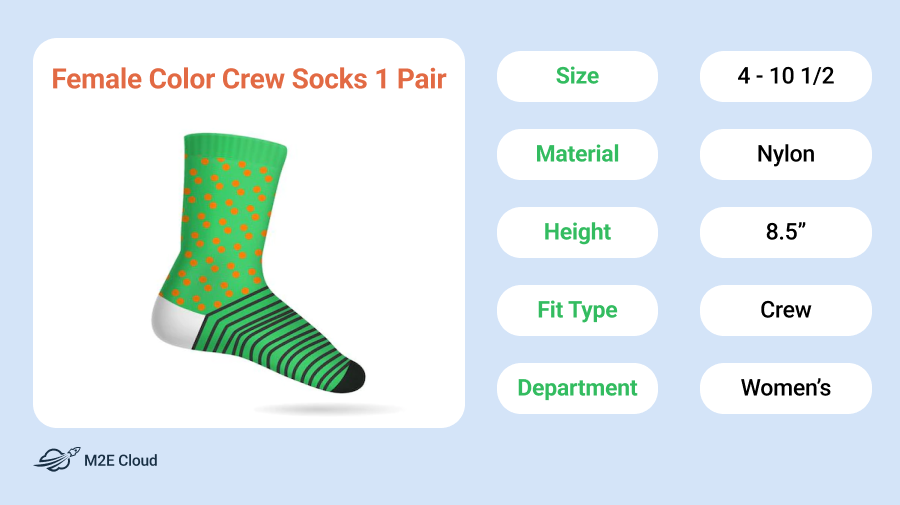
How to Benefit from Product Attributes
Attributes don’t sound like marketing, but they do much of the persuasive work in a listing. They tell customers what an image can’t, and they power the filters that most marketplaces rely on to surface products. A complete and accurate attribute catalog improves your business in several ways:
- Higher conversion and fewer returns. When shoppers know exactly what they’re buying, they commit with confidence and rarely send items back. That protects your margins twice: you earn more at checkout and spend less time processing returns afterwards. With nearly half of all returns tied to inaccurate product data, attributes are one of the most cost-effective places to invest.
- Stronger trust through transparency. In-depth composition and manufacturing attributes show you take quality seriously. They give cautious buyers the evidence they need to choose you over a competitor with less detailed listings. Fire-resistant furniture materials, allergen-free food preparation, fair-trade certification for textiles – each one builds confidence among the kinds of buyers who leave positive reviews and come back.
- Clearer product value. Technical attributes act as proof of quality, and they often justify a higher price without an extra sales pitch. A phone case rated for military-grade drop protection or a jacket made from recycled organic fabric appeals to buyers who care about durability and sustainability. The attribute does the convincing here.
- Better visibility for innovations. If your product includes meaningful technology, the attribute fields are where you broadcast it. OLED panels, VR compatibility, AI-powered features, and fast charging deserve prominent placement. They turn standout features into something your marketing can lead with, rather than a detail buried in the description.
There’s also a search benefit. As Vahan Poghosyan, CEO of Linkee, points out:
“Managing product attributes can also effectively influence SEO. Accurate and optimized attributes provide search engines with better context about your products, improving visibility and enabling rich snippets, which boost click-through rates. Additionally, consistent and well-structured attributes across channels reduce duplicate content issues and enhance site performance in search rankings.”
Managing Product Attributes
Attributes shape every piece of product information you publish, so managing them carefully matters. The goal is to keep them accurate, current, and consistent across every channel where your products appear.
Use the steps below to keep your attributes in order, whether you have a single store or a multi-channel setup.
Conduct Thorough Research
Before you refine the attributes, study the market. Look at how competitors describe similar products and which attributes they highlight. The patterns across top-performing listings often reveal what shoppers in your category actually care about.
Pay close attention to customer reviews, both yours and theirs. Reviews show gaps you can’t see from inside your own catalog, because they reflect what shoppers expected to find and didn’t. If a negative review says a product didn’t match its description, that’s a clear signal about a missing or wrong attribute. Positive reviews on competitor listings are just as useful, since they point to the details shoppers cared about most.
Fill In Every Relevant Attribute
Every product needs a complete set of relevant attributes. The easiest way to build one is to think about the questions a careful shopper would ask before adding the item to their cart.
Say you’re selling a plain white t-shirt with size, material, and color already filled in. A second look might show missing fields: neckline style, fit, sleeve length, fabric weight, care instructions, country of manufacture. Any one of these could be the deciding factor in a side-by-side comparison.
Categorize Your Attributes
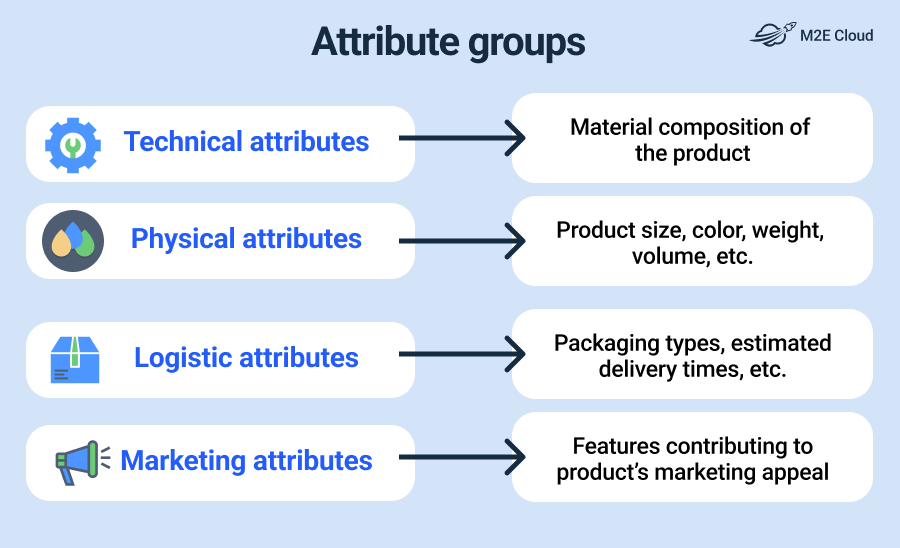
Group your attributes into clear types, such as technical, physical, logistical, and marketing. Sorting them this way makes gaps easier to spot and keeps every listing at the same level of completeness. When products in the same catalog don’t match in detail, shopper trust drops, even if each listing looks fine on its own.
It also helps to think in product families. When you sell a wide range of similar items, no two families share exactly the same attribute set. Tea cups and tea bags belong to the same broad category but need very different templates.
Identify the product families inside each category, then build a dedicated attribute template for each one. Templates speed up listing creation, prevent the kind of inconsistency that confuses shoppers and search engines, and make it easier to add new products.
Use Automated Tools
You can always handle attributes manually, especially if you have a small catalog or sell only on one channel. But once you sell on more marketplaces, it will be difficult to rely only on spreadsheets for attribute management. Version conflicts, missing fields, and duplicate data start eating into your time and accuracy, and the risk grows with every new channel you add.
This is where a connector helps. M2E Multichannel Connect syncs product attributes between your ecommerce platform and the marketplaces you sell on, so you can forget about spreadsheets and copying details into each channel by hand.
If you manage product attributes in your Shopify, BigCommerce, or WooCommerce store, M2E uses them to fill in your marketplace listings. When eBay, Amazon, or TikTok Shop asks for a size, a manufacturer, or any other detail, the data comes straight from your store. And if you update the attribute there, the marketplace listing updates with it.
The tool also takes the repetitive work off your hands:
- Reusable mappings. Match a store attribute to its marketplace counterpart once, and M2E automatically applies that mapping to every future listing in the same category.
- Custom attributes. If a marketplace requires an attribute your store doesn’t have, create it inside the M2E Catalog without changing your store setup.
- Bulk management. Use the M2E Catalog as a single workspace to assign attributes to products in bulk, or fill in values through CSV upload for large catalogs.
The result is a more consistent product data setup across every channel you sell on.


Prototype Before You Publish
For teams improving product data workflows, rapid prototyping can also play a key role in testing and refining how attributes are structured and displayed. Tools like the Magic Patterns AI prototyping solution, Figma, or similar platforms allow product and design teams to quickly turn ideas into interactive product flows, making it easier to visualize how attribute-rich product pages will perform before full implementation. This helps reduce iteration time and improves alignment between design, product, and development teams.
How to Apply Attributes on Ecommerce Platforms
When it comes to product information, each platform has its own way of how you can fill in the main attributes and expand their list. Let’s walk through the basics of setting up and managing attributes on major ecommerce platforms.
Shopify
Shopify provides predefined basic attributes such as title, description, SKU, price, weight, and inventory status. They cover essential product information that every online store needs to carry out sales.
Apart from standard Shopify product attributes, you can further expand your product pages’ info by using metafields. They act as custom attributes, letting you add valuable details like a color swatch or expiration date. You can set up metafields for your products in Shopify admin under Settings > Custom data > Metafields.
BigCommerce
BigCommerce offers default attributes similar to Shopify, including title, description, SKU, price, weight, and stock status, which are the foundation for product information. Still, you can create custom fields to capture additional product info that the default attributes may not cover.
To define custom fields, navigate to Products > View. When adding a new product or editing an existing one, scroll down the page until you reach the “Add Custom Fields” button and click it. Once done, custom attributes will automatically appear on the product page.
WooCommerce
WooCommerce provides default product fields such as title, description, SKU, price, weight, and stock status. Beyond the defaults, WooCommerce supports two kinds of extras: product attributes and custom fields.
Product attributes are used to categorize items and build variations like color or size. You can create them as global attributes under Products > Attributes for reuse across many products. There’s also an option to add an attribute for a single product on the Product Data panel. To store any other product‑specific information, such as an expiration date or manufacturer notes, you can set up custom fields in WooCommerce.
PrestaShop
PrestaShop comes with standard product fields such as name, description, reference (SKU), price, weight, and stock status. They cover the essential information every product needs to be listed and sold.
To expand the default product data, you can create product attributes under Catalog > Attributes & Features. They are typically used to define reusable values like color, size, or material, then combine them into product variants. As for custom fields for specific product details, PrestaShop doesn’t support them natively. But you can add custom fields through third-party modules or by customizing the back-office forms in code.
Final Thoughts
Product attributes are easy to overlook when you’re focused on pricing, images, or promotions. But they do a lot of the quiet work behind a successful listing. They answer shopper questions, support search, and bring returns down, which makes them one of the cheapest ways to improve how your products perform.
Start simple: audit one product category, identify missing attributes, group similar products into families, and create reusable templates. Then use a tool like M2E Multichannel Connect to keep those attributes consistent across your store and marketplaces. When your product data is complete and reliable, your listings become easier to find, easier to compare, and easier to buy.


