

Expanding your WooCommerce store beyond borders unlocks powerful growth. With International shipping, you can reach customers across the globe and boost your revenue. But handling WooCommerce International shipping isn’t always easy.
From customs fees to complex shipping rates, the challenges are real. Still, the rewards are worth it: higher sales, global brand exposure, and new market opportunities.
This guide covers the key hurdles and smart solutions to help you ship internationally with confidence. Whether you’re new to international shipping or looking to improve your current setup, you’re in the right place.
On this Page
- Why WooCommerce International Shipping Matters
- Top Challenges in WooCommerce International Shipping
- Key Setup Essentials for WooCommerce International Shipping
- Best Practices for WooCommerce International Shipping
- ecommended Plugins for WooCommerce International Shipping
- Conclusion
- FAQS
Why WooCommerce International Shipping Matters
Selling globally is essential. When you set up your store for International shipments, you’re not just offering global delivery, you’re building a future-ready business. Transparent International shipping rates, fast International deliveries, and a smooth checkout experience help build trust and reduce cart abandonment. Supporting International orders also boosts your average order value and opens access to new, high-potential markets.
In short, international shipping gives your WooCommerce store the power to scale faster and reach farther.
Top Challenges in WooCommerce International Shipping
Expanding your WooCommerce store globally brings new growth opportunities, but it also adds shipping complexities. Without the right setup, you risk delays, cart abandonment, and unhappy customers. Here are the most common challenges to prepare for:
- Customs and Duties: Every country has different customs rules and taxes. Unclear charges often cause delays or unexpected fees, leading to lost sales.
- Complex Shipping Rates: International shipping costs depend on weight, size, destination, and carrier. Flat rates aren’t accurate and can eat into profits or drive customers away.
- Carrier Integration: WooCommerce doesn’t natively support international carriers like DHL, FedEx, or UPS. Without plugins, managing labels, rates, and tracking becomes a hassle.
- Delivery Time Uncertainty: Long distances, customs checks, and local disruptions make delivery timelines unpredictable, which can impact customer satisfaction.
- Currency and Tax Handling: Showing the wrong currency or missing tax info confuses international customers and increases cart abandonment.
To address these challenges, businesses can look into advanced shipping solutions that offer more flexibility and accuracy. For example, platforms like Rush Order provide tools that can simplify international shipping by calculating precise rates based on weight, size, and destination. These solutions help businesses reduce the uncertainty around delivery times and carrier integrations, making it easier to manage international orders without the risk of unexpected costs or delays. With the right tools, you can improve your shipping processes, enhance customer satisfaction, and minimize cart abandonment.
Key Setup Essentials for WooCommerce International Shipping
A few smart settings can make your WooCommerce store ready for global orders without overwhelming you or your customers.
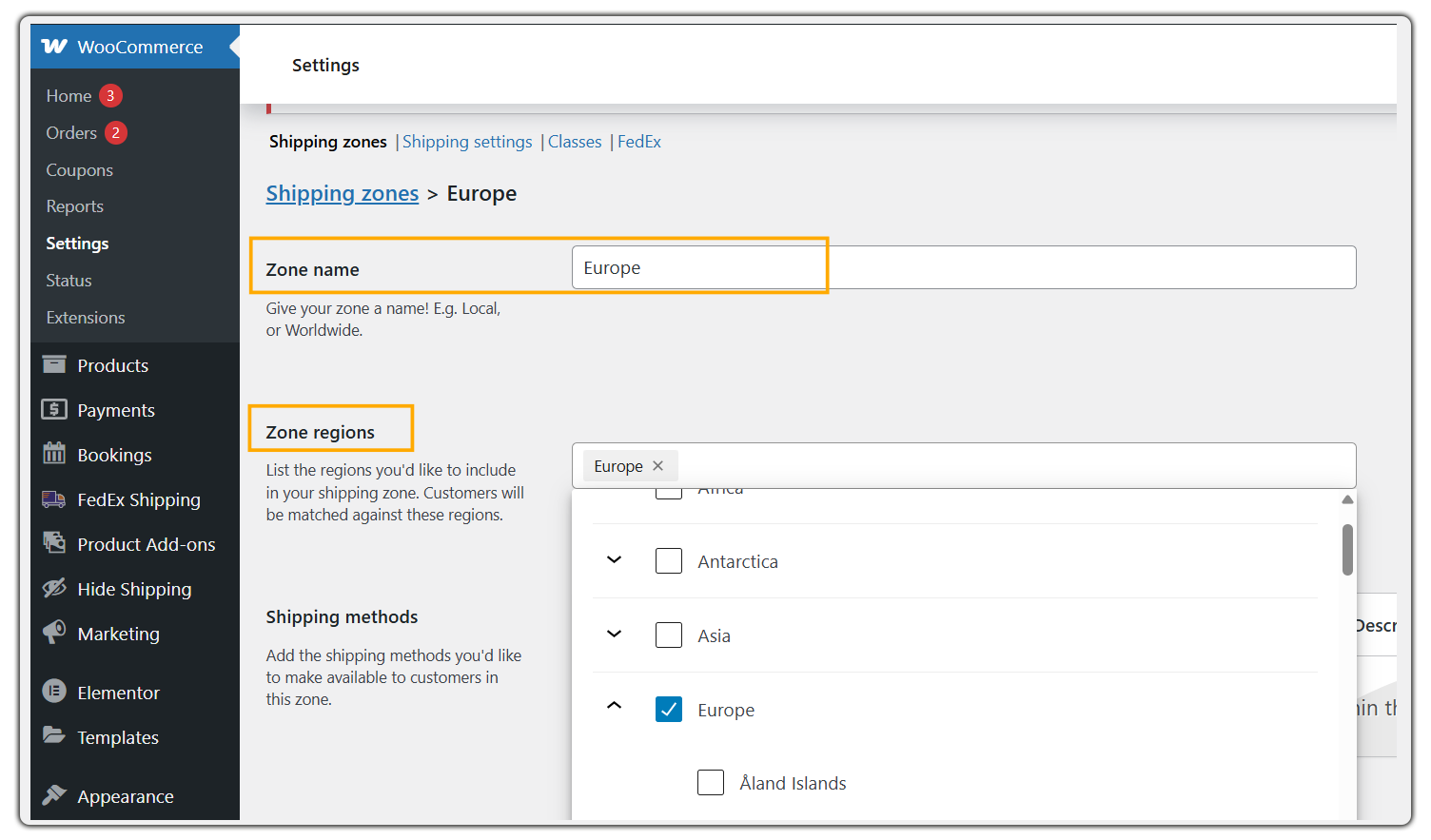
- Set Shipping Zones: Group countries into zones like Europe or Asia to offer region-specific rates. This keeps shipping options relevant and clear at checkout.
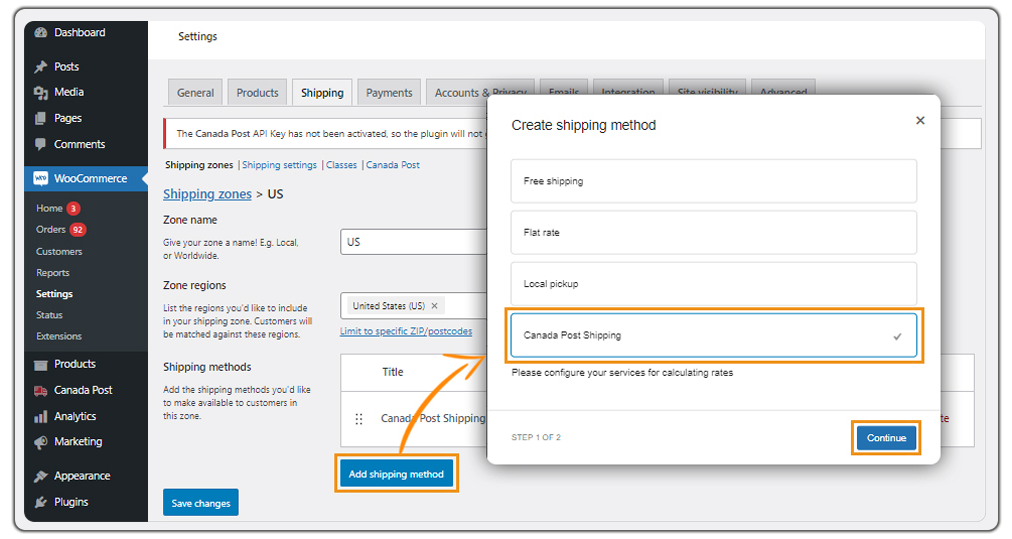
- Choose the Right Shipping Methods: Flat rates work for simple setups. But for accuracy, use real-time rates from carriers like FedEx, DHL, or UPS. This helps you avoid undercharging or overpricing.
- Define Selling and Shipping Locations: Check your Selling and Shipping Locations under WooCommerce General settings. Choose if you want to ship to all countries or only a few.

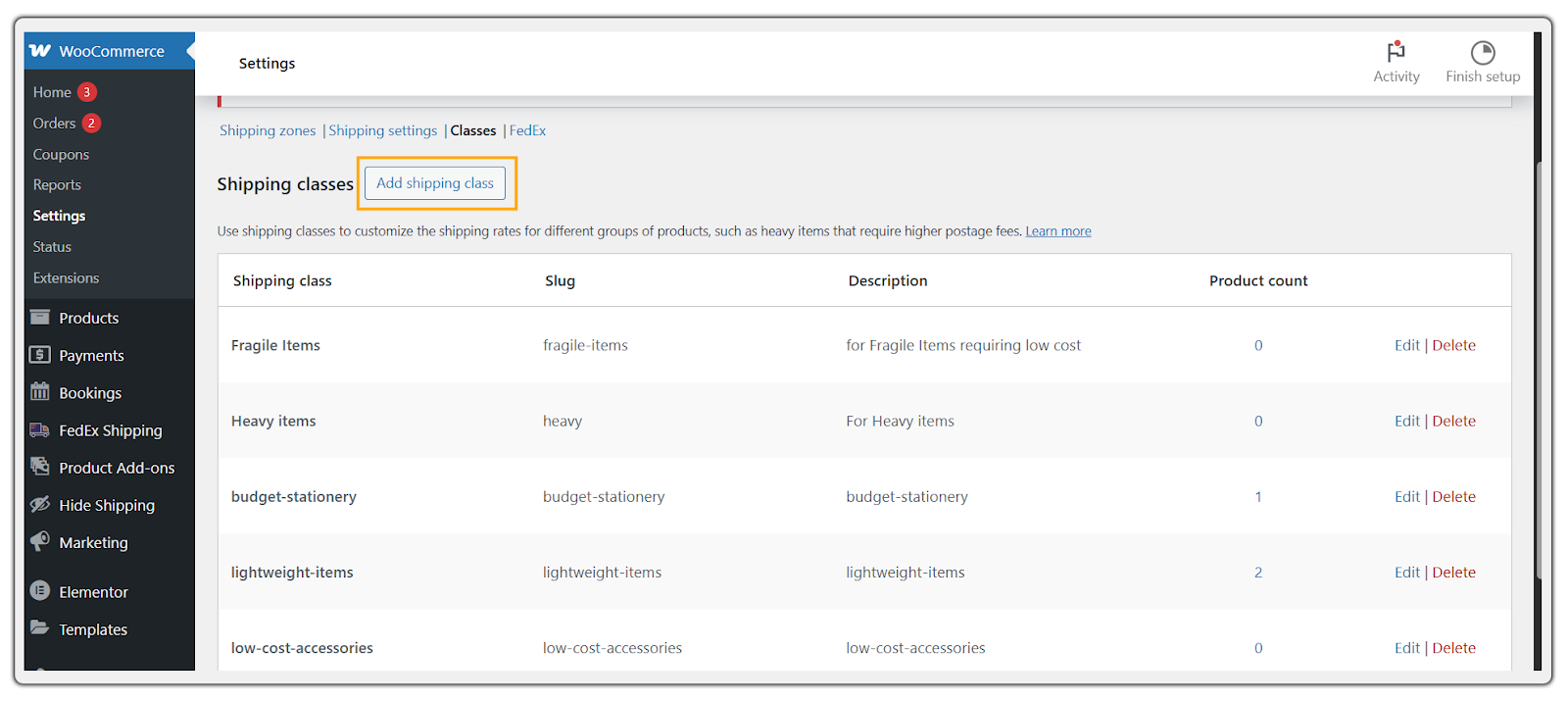
- Use Shipping Classes: Sort products by size or type, like lightweight, bulky, or fragile, and apply rates accordingly. It keeps pricing fair and transparent.
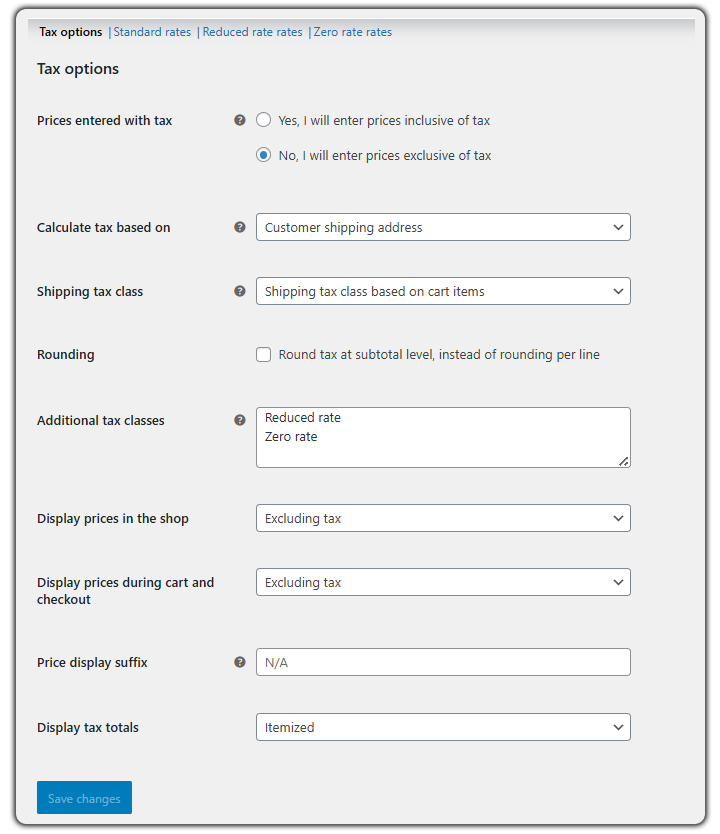
- Enable Tax Settings: International orders may include VAT or duties. Set up tax rules to show correct totals and stay compliant with country-specific regulations.

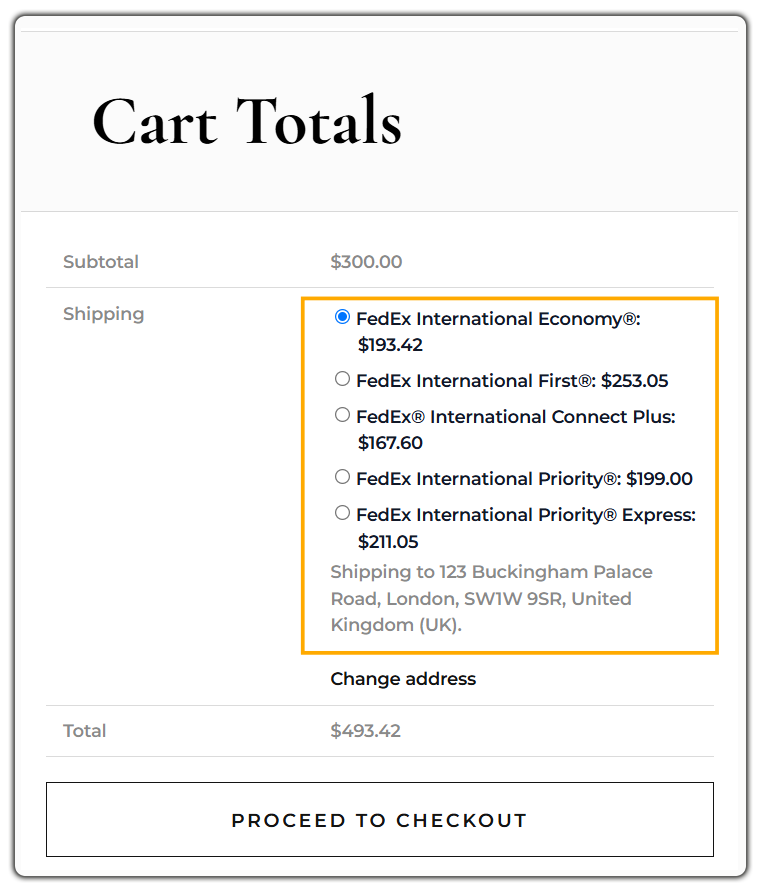
- Show Accurate Rates on Cart & Checkout: Skip the guesswork. Use shipping plugins that pull live carrier rates. This helps reduce cart abandonment and boosts trust.
Best Practices for WooCommerce International Shipping
International shipping needs more than just enabling zones. Follow these best practices to streamline deliveries and boost customer satisfaction.
Use Reliable Carriers
Choosing the right shipping partner is key to smooth international delivery. Go with trusted names like DHL, FedEx, or UPS. They offer better coverage, tracking, and insurance. Make sure your chosen carrier supports your target countries. Use WooCommerce plugins to fetch live rates and automate shipping labels.
Offer Insurance or Signature on Delivery
International packages can get lost, damaged, or delayed. Offer optional add-ons like shipping insurance or signature-on-delivery for high-value orders. This protects both your store and your customers, and builds reliability.
Offer Multiple Shipping Options
Different customers have different needs; some want fast delivery, others prefer cheaper rates. Offer a mix of standard, economy, and express shipping. Clearly display estimated delivery time and use carrier-calculated rates to keep pricing accurate and transparent.
Also, enable live tracking with tools like WooCommerce Shipment Tracking pro to keep customers informed and reduce support queries.
By following these best practices, WooCommerce store owners can manage international shipping more efficiently and ensure hassle-free international deliveries. Up next, let’s explore the top plugin tools that help automate and optimize this process.
Recommended Plugins for WooCommerce International Shipping
Managing international shipping in WooCommerce becomes easier with the right tools. These plugins help automate rates, labels, tracking, and more, ensuring a smooth experience for global customers.
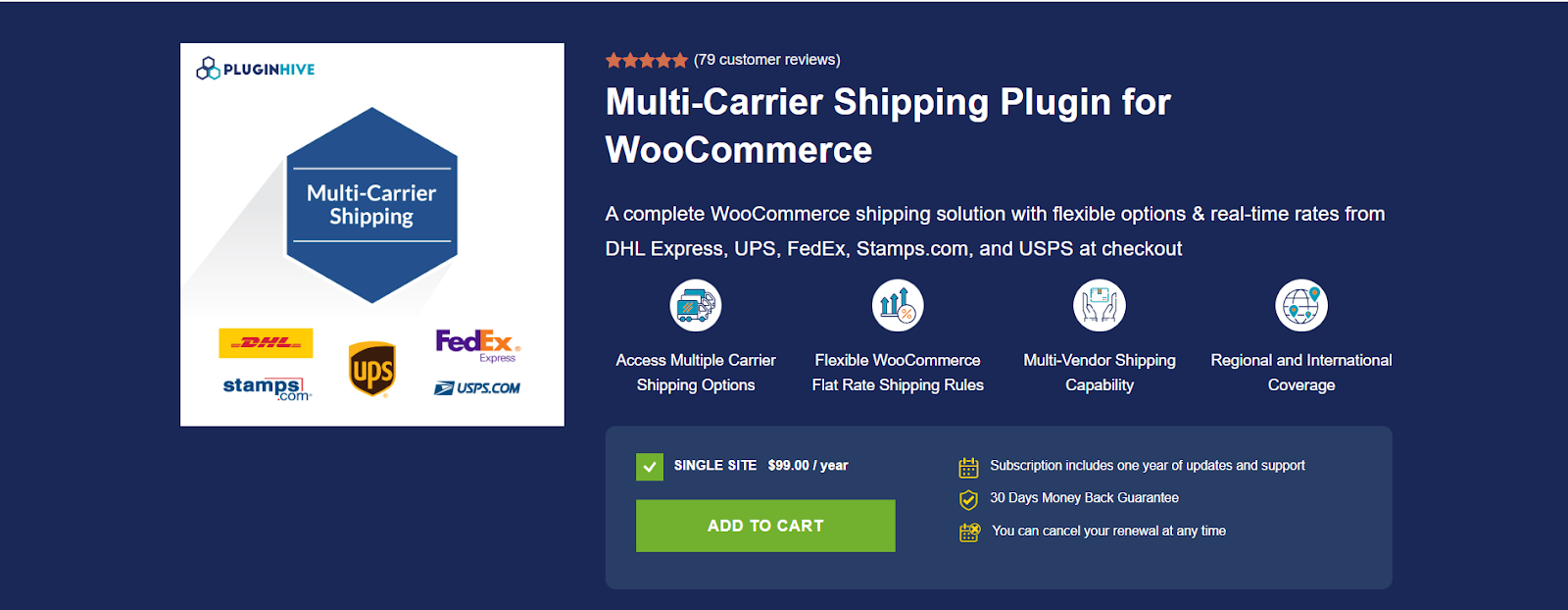
1. Multi-Carrier Shipping Plugin for WooCommerce
Key Highlights:
- Access live, real-time shipping rates from multiple international carriers.
- Enable customers to choose their preferred carrier at checkout, improving satisfaction.
- Supports diverse shipping methods and zones, optimizing WooCommerce orders for global delivery.
2. WooCommerce FedEx Shipping Plugin
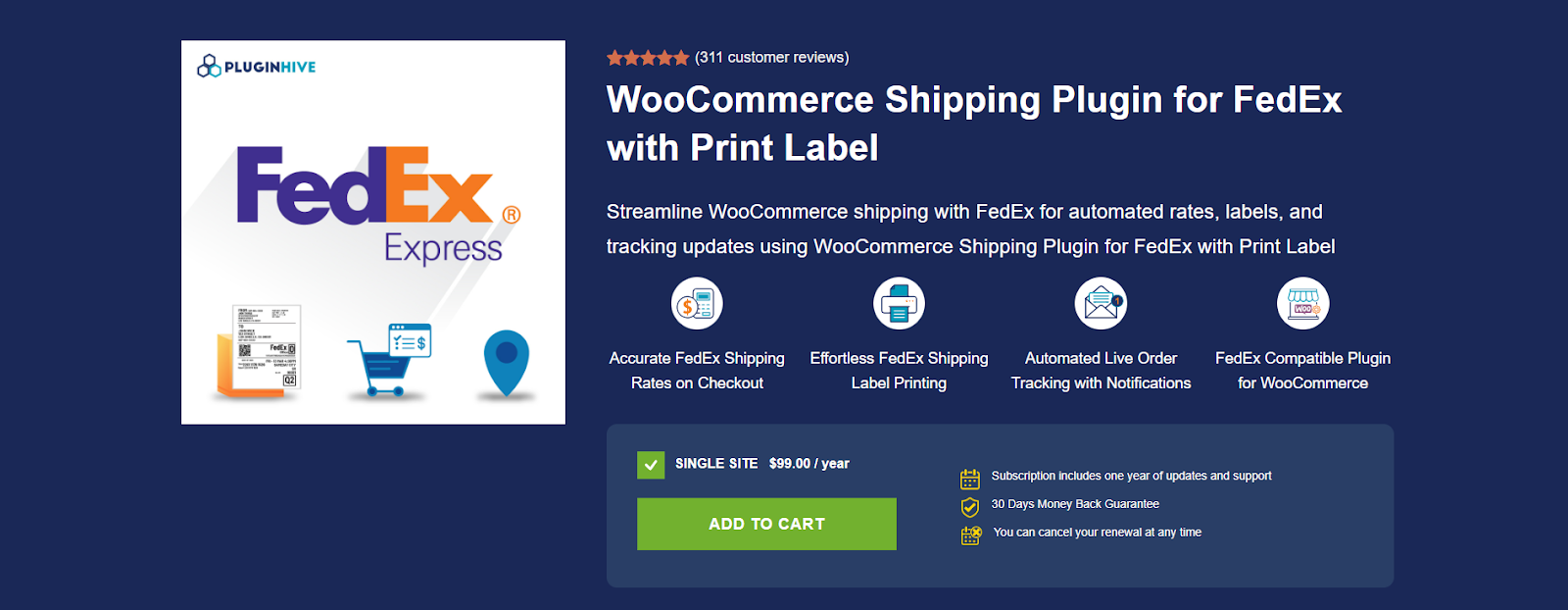
Easily manage your international shipments with the WooCommerce FedEx Shipping Plugin by PluginHive. Designed for businesses that rely on FedEx, this plugin streamlines the entire shipping process directly from your WooCommerce dashboard.
Key Highlights:
- Real-time FedEx international rates based on package weight, dimensions, and destination.
- Print shipping labels instantly without leaving your WooCommerce store.
- Generate customs documents for hassle-free international deliveries.
- Live FedEx tracking updates automatically on WooCommerce orders.
.
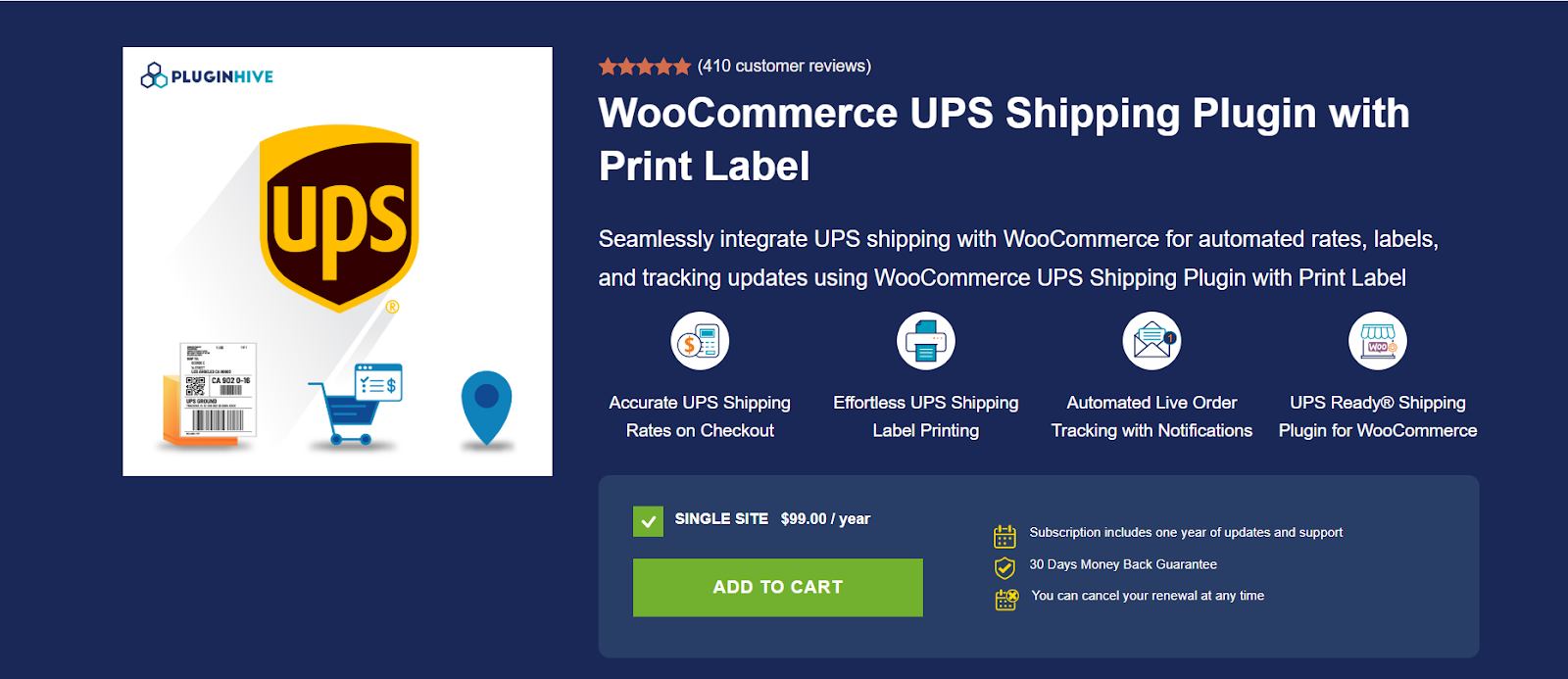
3. WooCommerce UPS Shipping Plugin
The WooCommerce UPS Shipping Plugin by PluginHive offers full UPS integration to simplify international shipments and streamline your store’s global logistics.
Key Highlights:
- Live UPS rates for domestic and international orders, based on real-time carrier data.
- Instant shipping label generation for UPS services, including Standard, Express, and Freight.
- Auto-generated tracking numbers with real-time updates for each WooCommerce order.
4. PH Australia Post MyPost Business Shipping for WooCommerce


PH Australia Post MyPost Business Shipping for WooCommerce helps online stores streamline shipping with live Australia Post rates, automated label printing, and real-time order tracking. Enhance your WooCommerce store with seamless shipping, cost adjustments, and multiple parcel packing options, ensuring a smooth customer experience.
Key Highlights:
- Adjust shipping costs and handle multiple parcel packing methods easily.
- Display accurate MyPost Business shipping rates at WooCommerce checkout.
- Print Australia Post shipping labels directly from the WooCommerce dashboard.
- Track shipments in real-time with automated email notifications to customers.
5. Currency Switcher for WooCommerce
The Currency Switcher for WooCommerce plugin enhances your store’s ability to ship internationally by showing prices and shipping costs in customers’ local currencies.
Key Highlights:
- Automatically detects the visitor’s location to display the relevant currency.
- Supports both manual and live exchange rate updates for accuracy.
- Seamlessly integrates with shipping plugins for clear, localized international shipping rates.
- Helps reduce cart abandonment by making pricing transparent for global customers.
These plugins simplify complex logistics, reduce errors, and create a seamless WooCommerce International shipping experience for store owners and customers alike.
Conclusion
Handling WooCommerce international shipping doesn’t have to be complex. With the right setup, reliable carriers, and powerful plugins, you can streamline international orders and deliver a smooth experience worldwide.
Configure your store properly, display accurate rates and duties, and use tools that automate tracking and fulfillment.
Start optimizing today to scale your store globally and simplify every international shipment.
FAQs
- Can WooCommerce calculate international shipping rates automatically?
Yes. By integrating plugins like PluginHive WooCommerce Shipping Services, you can fetch real-time international shipping rates from carriers like FedEx, DHL, and UPS. - Can I offer multiple international shipping options in WooCommerce?
Yes. You can offer standard, express, and economy shipping options by setting up zones and utilizing carrier-specific plugins or Table Rate Shipping. - Is it possible to track international orders in WooCommerce?
Yes. Using the Shipment Tracking Pro plugin, you can automatically add tracking numbers from 80+ global carriers and send updates to customers. - Will WooCommerce show delivery time estimates for international shipping?
No, not by default. You need an Estimated Delivery Date plugin to display delivery windows based on shipping method and location. - Does WooCommerce allow prices to be displayed in a customer’s local currency?
No, not by default. You’ll need a currency switcher plugin to detect location and show local currency prices.


