Ever had a customer send you a message at midnight saying, “Hey, I placed my order but forgot to send you the design file”? Yeah. That frustration. It hits both sides. And somewhere in the middle, the order sits stuck, waiting like a helpless traveler with no ticket in hand.
When I first saw this happening in store after store, I realized something. There’s a smoother way, a cleaner way, a way that doesn’t force buyers to jump between emails, chats, and order pages. That’s where the All-in-One Files Upload for WooCommerce plugin quietly stepped in like it had been waiting backstage for its cue. It didn’t shout. It didn’t brag. It just worked.
And that alone changed the pace of custom orders for many store owners who were drowning in manual file collection. So today, we walk through how this plugin simplifies everything. Dramatically. And why your WooCommerce store might actually breathe easier once it’s installed.
Why File Uploads Matter for Custom WooCommerce Orders
Let’s be honest. Custom products are beautiful. But they’re messy. Customers forget files. They upload low-resolution images. They send screenshots that look like they were taken from a 2007 phone. It becomes a little chaotic. And you, as a store owner, spend more time playing detective than running your business.
I remember talking to someone who sold personalized mugs, and he told me how he received files through email, Messenger, WhatsApp, and sometimes even through random social profiles. No structure. No timeline. No traceability.
That’s why the ability to upload files directly during the product selection, cart stage, or checkout helps. It’s instant. Centralized. It saves people from making silly mistakes. And it transforms the ordering process from scattered to streamlined.
The plugin we’re discussing makes this even smoother because it lets uploads show up exactly in the right place, whether it’s product page, cart, or during checkout. Clean. Direct. Almost calming.
Plugin Overview: All in One Files Upload for WooCommerce
This plugin isn’t just another add-on you forget after installation. It feels like a workflow companion, almost like a small assistant that handles customer files while you deal with real business.
When you install it, it adds a powerful upload system to your WooCommerce store. The kind that sits quietly on your product pages or pops open in a sleek window and tells buyers, “Go ahead, drop your file right here.” It supports all major formats. PDFs. Images. Videos. Zips. And it doesn’t shy away from multiple files either.
The plugin works with product-level rules, category rules, or global rules. You choose. It blends with your store like it was always part of the design. And when customers upload something, the order admin dashboard displays them in a structured and neat panel.
No confusion. No weird attachments hidden behind ten layers of menus. Everything stays labeled and visual. Easy to track. Easy to manage.
Key Features of the All in One Files Upload Plugin
When someone asks, “So what does this thing actually do?”, I usually smile. Because the list is long, and each item feels like a sigh of relief for anyone dealing with custom products. It lets customers upload files on the product page, in the cart, or during checkout. Multiple upload zones, too. Want to charge extra for file processing?
There’s a per-file fee option. Need customers to read instructions? You can add a small note or a long one. Want conditional rules based on categories? Supported. Want to allow only certain file types? Done. Want a progress bar so customers feel alive while uploading larger files? That’s in there, too.
And when customers drag a file by accident, the plugin doesn’t panic. It shows previews. It validates file types. It rejects oversized files politely. It handles replacements like it’s been doing it forever. And honestly, the backend view of the uploaded files is so structured that order management becomes less of a headache and more of a predictable routine.
How the Plugin Works on Your WooCommerce Store
Imagine a customer browsing your store. They click on a product. They see a small upload box or even a cute little button saying upload. They click. A popup appears. Smooth. Responsive. It lets them throw in their image, design, or PDF. And then it just works.
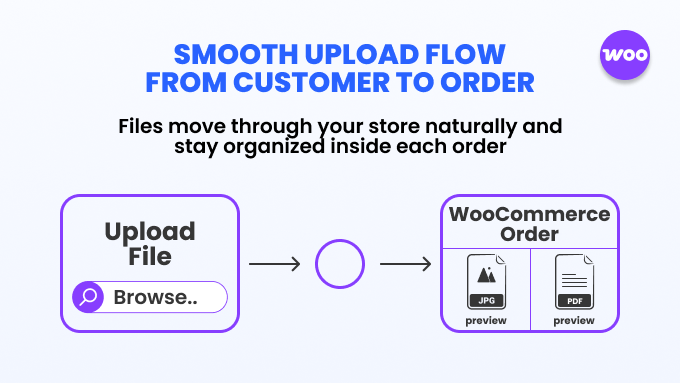
The upload finishes, the preview shows, and the file moves into the order flow. When you, the admin, open the order, the files show up in a clear list. You can approve them. Reject them. Ask for resubmission. Leave notes. It’s like a tiny conversation box integrated right inside your order dashboard. And guess what. You can enable uploads in cart and checkout too.
So, if someone forgets something at the product page, no problem. They meet another upload option later. The plugin guides them slowly, softly, toward completing the order without missing essentials. It’s a silent guardrail.
Setting Up File Upload Rules
This part is where the plugin gets really flexible. You don’t throw upload options randomly. You craft them. Maybe you want a product to require a file. Maybe another product should allow optional uploads.
Maybe a category like “Custom Apparel” gets its own upload rule. You define max file size. You set allowed formats. You add instructions. Something like “Please upload your artwork in high-resolution PDF”. Short. Clear.
The plugin lets these rules sit at the global level, category level, or per product. That means each product can behave differently. And customers won’t see any unnecessary upload areas that confuse them. The little rule builder interface is super friendly. Even if you’re not a tech person. You pick. You save. And it works instantly.
Managing Files from the Admin Dashboard
Some plugins throw files into random order notes like they hope you’ll find them someday. But All in One Files Upload doesn’t do that. It organizes everything in a neat admin section inside each order. You get file previews. Download buttons. Labels. Validation info. You can approve files if they look right.
Reject them if they’re blurry or low-quality, and the customer will understand. If a file needs replacement, customers can re-upload. The system maintains a simple history so you don’t lose track.
And the admin interface feels like someone actually designed it with real store owners in mind – not developers writing code in a dark room. You get clarity. And that clarity saves minutes per order. Which eventually becomes hours. Maybe more.
Frontend Experience for Customers
Sometimes the technical stuff doesn’t matter if the frontend feels clunky. Customers run away. But here, the frontend feels light. Natural. They see clean buttons.
Drag-and-drop zones. Popups that feel modern, almost app-like. They see previews that make them feel reassured. If the file is too large, a small message appears. Friendly tone. Not harsh. If the file type isn’t allowed, it explains nicely. They can delete. Replace. Or upload multiple files. Some stores even allow customers to add notes with each file.
A small detail but powerful. And because everything works directly inside the product, cart, or checkout page, the journey feels smooth. No side detours. No email back-and-forth. Customers finish what they need to finish right there. And that reduces abandoned orders by a surprising amount.
Use Cases for Different WooCommerce Stores
This plugin doesn’t fit only one industry. It fits many. Think printing stores. They need artwork files. Think jewelry sellers offering engraving. They need handwriting images. Think t-shirt printers. Posters. Photobooks. Personalized phone cases.
Even service providers. A marketing agency offering custom brand kits might need PDFs from clients. Someone selling custom stickers might need vector files. I once saw it used on a bakery website where customers uploaded sketchy drawings of cake designs. It was adorable.
And the baker loved it because she didn’t have to chase files later. So yes, the plugin adapts. Like clay. You shape the rules for your industry, and it bends to your workflow.
Real Store Scenarios the Plugin Solves
There’s always that one customer who places an order and then messages you saying, “I’ll send the file later.” You wait. They forget. You remind. They vanish. The order gets dusty. Another customer uploads something heavy, and the email system rejects it.
Another sends a low-quality screenshot, and you can’t use it. This plugin tackles these scenarios one by one. It forces customers, kindly, to complete the file upload during purchase. It supports huge files without choking. It provides previews so customers verify quality themselves.
It gives you admin-level control to approve or reject. It reduces misunderstandings. It saves awkward conversations like “Sir, this image is 72 DPI and unusable.” Instead, they see a note right there. And upload properly. You find yourself spending less time cleaning up mistakes and more time completing orders.
Benefits for Store Owners
Let me sum it up. Simplicity. Clarity. Control. This plugin saves time. It lowers error rates. It centralizes files. It removes messy email threads. It helps you process custom orders without stress. It increases customer satisfaction because the upload system feels easy and modern.
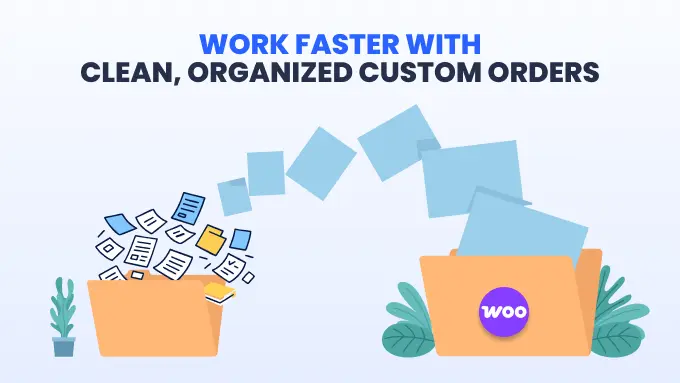
It reduces refunds because files are collected correctly the first time. It gives you a smooth admin workflow. And it blends into your WooCommerce store without making you redesign anything. Just install. Configure. Done. It’s subtle but powerful. A rare mix.
Why This Plugin Stands Out in the Market
There are other upload plugins. Sure. But this one feels more complete. Most others lack approval systems. Or don’t allow multiple upload zones. Or don’t show previews. Or don’t work on cart and checkout. Some look outdated. Others break styling.
But All in One Files Upload for WooCommerce feels refined, like someone actually listened to store owners who struggled with custom orders. It keeps the interface clean. It supports many file types.
It plays nicely with other WooCommerce systems. It behaves well with HPOS. It avoids unnecessary complications. And it gives a feeling of control. Quiet power. That’s what sets it apart.
And it works perfectly with other integrations. Many store owners I talk to struggle with another mess beyond missing files – scattered orders from different marketplaces. One login for Amazon, another for TikTok Shop, another dashboard for eBay. It drains focus.
M2E Multichannel Connect solves that by pulling all marketplace orders straight into WooCommerce and keeping inventory aligned across every channel you sell on. It becomes the backbone of a stable workflow. When paired with your file upload system, it turns WooCommerce into a single command center rather than three or four separate islands.

How It Helps Customize Your WooCommerce Workflow
Your workflow becomes simpler. Customers upload files where needed. You get notified. You review. Approve. Reject. Replace. Download. Everything flows inside WooCommerce. No external tools. No external mess. If you want to charge extra for uploads, you can.
If you want multiple upload boxes for complex products, supported. If you want instructions with icons, possible. The plugin molds itself to your selling style. And honestly, after a while, it becomes strange to imagine running custom orders without it.
Compatibility and Technical Notes
This plugin is updated often. It works with most themes. It supports WPML. Works with HPOS. Works with variable and simple products. It respects WooCommerce hooks.
It uses popup systems that don’t conflict with major page builders. And the file validation is neat. It doesn’t break pages. It doesn’t flood logs with errors. It’s stable. That’s important. Especially when file uploads are involved, because one glitch can ruin an order. But here, things stay predictable.
Conclusion
In the end, simplifying custom orders isn’t just about convenience. It’s about survival. You can’t keep running after customers for files. You can’t keep guessing what they wanted. You need structure. You need a system that collects files cleanly and instantly.
And that’s exactly what the All in One Files Upload for WooCommerce plugin delivers. It turns messy workflows into calm, organized ones. It gives customers a simple journey. It gives you cleaner orders. And if you’re running a store that depends on personalization, you’ll probably wonder why you didn’t adopt this earlier. It’s that kind of tool. Quiet. Effective.
And honestly, a little bit of magic for WooCommerce sellers who want sanity in their day-to-day work. And yes, this is where the WooCommerce custom file upload plugin for orders and Customer File Upload WooCommerce keywords naturally sit and do their job without forcing anything.