Brand Protection is one of the top questions TikTok Shop sellers ask about. Everyone wants to know how to secure their brand, get approved, and keep copycats away.
If you own a trademark and sell on TikTok Shop, you want two things. Approval to list under your brand name and a simple way to keep imitators out.
This guide puts everything in one place. You will learn how brand approval works, the necessary documents, common mistakes that trigger rejections and the appeal process.
You will also see where M2E fits once your brand is approved. It helps you manage products under approved brands and track inventory and order management from one dashboard.

What Brand Approval Means on TikTok Shop
Brand approval is a formal verification process within the Seller Center.
TikTok verifies that you own the trademark or have permission from the owner to sell products that carry that mark or logo.
It’s not the same as general account verification. It controls whether you can list items under a protected brand in your catalog. If you list a branded product without approval, TikTok can remove the listing or restrict your ability to list.
Do you need brand authorization?
If a product or its packaging shows a trademarked name or logo, you almost always need brand authorization.
It’s easy to request authorization in the Seller Center. Some brands can be selected without an approval file. Others stay grey until you submit proof.
Brand authorization types and required documents
| Authorization type | Who this applies to | Required document(s) | The document must include | Notes |
| Brand Owner | Individuals or entities that hold a registered trademark | Trademark Certificate | – Trademark name – Registration number – Country of registration | Each trademark registration can be used for one Brand Owner application |
| 1st Level Authorized Seller | Sellers authorized directly by the Trademark Owner | Letter of Authorization (LOA) or Distribution Letter from the Trademark Owner | – Expiry date of the authorization – Trademark info (trademark name, registration number, country of registration) | Details on the letter must match the seller’s account details |
| 2nd Level Authorized Seller | Sellers authorized by a 1st Level Authorized Seller and backed by the Trademark Owner | Two letters: (1) LOA or Distribution Letter from the Trademark Owner → 1st Level Seller. (2) LOA or Distribution Letter from the 1st Level Seller → You | Both letters must show: – Expiry date of the authorization – Trademark info (trademark name, registration number, country of registration) | Ensure both letters are present and consistent with each other |
| Proof of Purchase Seller | Sellers selected at TikTok Shop’s discretion | As requested by TikTok Shop | Will be specified by TikTok Shop | This option is visible to selected sellers only |
Submit your authorization in the Seller Center
- Open Seller Center → My Account → Account Settings → Qualification Center → Brand Qualification.
- Click Add Brand Authorization and select your type.
- Complete all fields. Upload clear proof in PDF, JPG, or PNG. Max five megabytes. Mark Permanent only if your letter states it.
- Submit. Watch for a verification email if you file as a United States trademark owner.

It’s always a good idea to check official TikTok Shop guidelines before submitting your authorization.
Common Brand Authorization Errors and How to Fix Them
Before you submit, run this quick check. It identifies common issues that delay reviews and saves you days of back-and-forth.
Brand or company name mismatch
Risk: Reviewers reject when the brand on your listing or packaging doesn’t match the name on your paperwork. The same applies if your seller’s legal entity differs from the one stated in the LOA or certificate. Even a slight change in spacing or capitalization can trigger it.
How to avoid it:
- Copy the brand name exactly as it appears on the trademark certificate and on your packaging.
- Ensure that the seller’s legal name, address, and contact information match the LOA.
- Check spelling, spacing, accents, and capitalization across your certificate, LOA, website, and Seller Center profile.
Outdated trademark contact
Risk: TikTok can’t verify ownership if the trademark office lists an old attorney or correspondence email. Verification emails often miss the correct contact, and your application stalls.
How to avoid it:
- Update the attorney or correspondence email address at the trademark office before submitting your application.
- Confirm that the mailbox is working and monitor the spam folders.
- If you use outside counsel, please instruct them to expect a verification email and respond promptly.
Missing expiry, market, or category in the LOA
Risk: Letters without a clear end date, market scope, or product category fail checks. Reviewers can’t confirm where and what you are allowed to sell.
How to avoid it:
- Ensure the LOA displays an expiry date. If the right is ongoing, the letter must say it.
- Add the covered country or region and the product category.
- Align that category with the trademark class for your market.
- Sign on official letterhead and include the signer’s name and title.
Registration still pending
Risk: Filing as a trademark owner while the mark is still in application status can lead to a fast rejection.
How to avoid it:
- Wait until the registration is live in the market where you sell.
- Check the status in your local office search before you submit.
- If you must list sooner, use an authorized seller path with a proper LOA while the registration finishes.
Using “No brand” on a branded item
Risk: Choosing No brand for an item that shows a mark on the product or packaging is treated as misuse. That can remove listings and add strikes.
How to avoid it:
- If the product has a logo, molded mark, hangtag, label, or brand in its title, use the proper brand name.
- If the brand is not in the list, add it and submit for review.
- Reserve No brand for truly generic goods with no marks anywhere.
Poor document quality or wrong file type
Risk: Blurry scans, cropped pages, or unsupported file formats can slow reviews or lead to rejections. Missing stamps or signatures raise doubts.
How to avoid it:
- Upload the original PDF when possible.
- If you scan, use a clear, full-page image. JPG and PNG are fine if the text is sharp.
- Keep files within the size limit and include all pages.
- Make sure signatures, stamps, and dates are visible and readable.
Missing the second letter for second-level authorization
Risk: Second-level applications fail when one link in the chain is absent. Reviewers need proof from the brand owner to the first-level seller and from the first-level seller to you.
How to avoid it:
- Collect both letters before you file.
- Check that company names match registrations.
- Verify that the dates overlap and are up to date.
- Confirm the brand name and trademark details appear on both letters and that both letters cover your market and category.
What to do if TikTok flags a violation?
First of all, stay calm. It happens.
Gather facts and respond within the window.
Step #1. File your appeal
- Open Seller Center → Shop Health → Violation Records → View and Appeal.
- Open the record. Read the reason and note the deadline shown on the ticket.
- Click Appeal. Write a short statement that explains what TikTok flagged, why it is wrong, or how you fixed it, what rights you hold, and what outcome you request.
Step #2. Follow deadlines
- First appeal within 30 days of the notice.
- If rejected, a second appeal can be made within 15 days of the decision.
- Some tickets use shorter windows measured in hours. Follow the time in the notice.
Step #3. Attach clear proof
- Trademark certificate, LOA, or license.
- Listing links or order IDs.
- Side-by-side photos or screenshots that show the issue and the fix.
- For the US trademark owner – include the registration number.
Step #4. Submit and stay calm
- Watch Seller Center messages and emails. Reply fast to any follow-up.
- If approved, restore the listing and document the fix for your team.
- If your appeal is denied and you have new evidence, file a second appeal within 15 days.
- If removal is approved, correct the listing data and relist only after the case is closed.
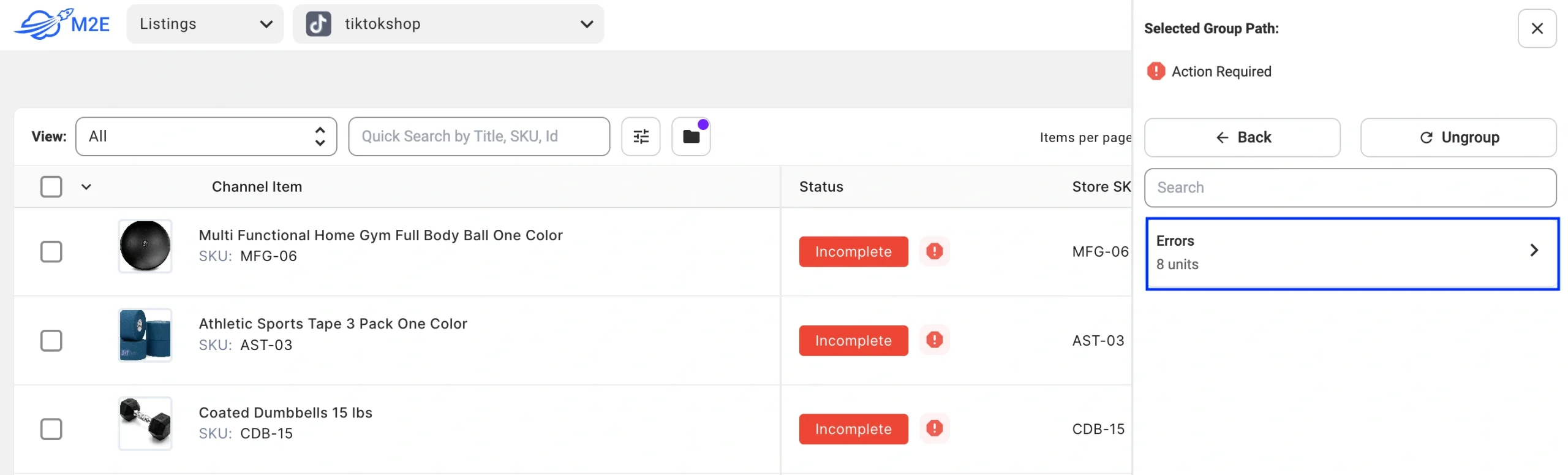
M2E workflow tip: If a brand SKU is removed, pause it in M2E to prevent failed orders. Fix titles, images, brand, or category. Relist after TikTok confirms the appeal result.
Find more information on how to integrate TikTok Shop with M2E Cloud in our detailed user guides.
TikTok Shop Brand Protection After Approval
Approval gets you listed. Protection keeps you trusted. Build these habits into your week.
Trademarks on TikTok Shop
A trademark is a word, symbol, slogan, design, or a mix of these that identifies the source of a product or service.
You may use another brand’s mark only in limited, clear ways.
Allowed uses
- Accurate references in product reviews.
- Lawful commentary, criticism, or parody.
- Comparisons that don’t present the mark as your own.
- Fan pages that don’t claim affiliation.
Not allowed
- Any use that causes confusion about source, origin, sponsorship, or affiliation.
- Profiles that impersonate a brand. TikTok may reset usernames, nicknames, photos, and bios that infringe on its policies.
What counterfeits are and why they matter
Counterfeiting is the illegal making, selling, or promoting of goods under a mark that is identical or very similar to a registered trademark, without permission. It encompasses various categories, including apparel, beauty, electronics, toys, software, and more.
Why this is harmful
- Threats to safety from poor materials and unsafe components.
- Lost revenue and goodwill for the brand owner.
- Profits that may support organized crime.
Counterfeiting is illegal. TikTok doesn’t permit the purchase, sale, trade, or solicitation of counterfeit goods.
Quick red flags
- The price is significantly below the usual market range.
- Missing packaging or low-quality packaging with spelling errors.
Win Approval and Keep Growing With M2E Multichannel Connect
TikTok Shop handles brand approval. Once approved, M2E provides a reliable platform to maintain clean data and steady operations.
- Keep inventory, prices, and titles in sync across TikTok Shop and your store (Shopify, WooCommerce, Ecwid, Shopware, Salesforce, PrestaShop, or BigCommerce). Updates flow both ways based on your sync settings.
- Pass checks faster with the TikTok Shop Listing Validator Assistant. Ensure missing attributes are corrected before submission to avoid delays.
- Import every TikTok order into one place. Process, ship, and maintain statuses in alignment without switching tools.
- Track performance with TikTok Sales Analytics. See sales and cancellations by brand and by category. Spot trends in real time.
This workflow keeps your catalog tidy, your numbers clear, and your order fulfillment time low.
For full instructions, get in touch or explore our guides. Connect TikTok Shop to M2E Multichannel Connect to sync catalog updates and process orders in one place.