Shopify can be the main place where you manage product data, stock, prices, and orders. But growth often happens outside the online store.
You can start your search on marketplaces like Amazon, eBay, Walmart, TikTok Shop, and other sales channels. Sounds easy, right?
The challenge is that each marketplace works differently. Usually, you need to deal with:
- different listing rules;
- product data requirements;
- stock updates;
- order management;
- pricing changes;
- shipping and fulfillment settings;
- compliance requirements.
When these tasks are handled manually, small updates can take too much time. Errors also become easier to miss. A stock change may not reach every channel. A marketplace order may not be updated in Shopify. A price change may remain outdated on a single listing.
That is where a Shopify marketplace integration becomes important. It connects Shopify to external sales channels and keeps key data up to date across them. However, the perfect tool depends on your product range, marketplace mix, SKU volume, and sync needs.
In this guide, we will go through the top features one by one and explain how M2E Multichannel Connect helps Shopify sellers manage them.

What is a Shopify marketplace integration?
A Shopify marketplace integration helps you manage Shopify and marketplace sales from one connected workflow.
It connects Shopify with marketplaces and syncs important data, such as:
- product details
- stock levels
- prices
- orders
- shipping status
- tracking details
Depending on the app, you can connect Shopify to one marketplace or manage several channels, including Amazon, eBay, Walmart, TikTok Shop, Temu, Kaufland, OTTO, Shein, onBuy, and Mirakl-based marketplaces.
The right integration should help with more than product export. It should support:
- listings and product updates
- inventory and price sync
- order import
- fulfillment updates
- marketplace-specific fields
- compliance data
- sales analytics
For example, if an item sells on Walmart, the integration should update stock on your other channels too. This helps prevent overselling when the same product is also listed on Amazon, eBay, or TikTok Shop.
Which Shopify Marketplace Integration Features Should You Check First?
To sell from Shopify on marketplaces, you need your data to move with your orders. When a product sells, stock should update. When a price changes, marketplaces should reflect it. When an order is shipped, tracking details should sync back.
1. Listing and product data integration
Listing products on marketplaces isn’t just about copying a title, image, and description from Shopify.
Each marketplace has its own rules. Amazon, eBay, Walmart, TikTok Shop, Kaufland, Temu, and other channels may require different:
- categories;
- product metafields;
- product identifiers;
- variation data;
- image requirements;
- compliance fields.
That is why your Shopify marketplace integration should help you prepare product data for each channel, not only move it from one system to another.
A good integration should help you:
- Create new marketplace listings. Use Shopify products as the base for new listings.
- Link existing marketplace items. Connect live marketplace listings with the right Shopify products.
- Match products by SKU or Product ID. Reduce manual work when connecting products across systems.
- Manage variations. Keep sizes, colors, models, bundles, and pack quantities structured correctly.
- Edit product data in bulk. Update many listings faster instead of editing each product one by one.
- Adapt product fields to marketplace rules. Add the right metafields, pricing, quantities, and compliance data for each channel.
💡 How does M2E support listings? M2E Multichannel Connect helps you create marketplace listings based on your Shopify products. It also helps you prepare product data for each marketplace before you publish.
With M2E, you can:
- create compliant listings from your store catalog;
- validate required fields before submission;
- adjust product details to match marketplace rules;
- choose which Shopify metafields to use as product data sources;
- customize prices and quantities for each marketplace;
- create listings for eBay, Amazon, Walmart, TikTok Shop, Kaufland, and Temu.

2. Inventory synchronization
Inventory sync is one of the most important features in a Shopify marketplace integration. When stock isn’t updated across channels, you risk overselling, canceling orders, and hurting your marketplace performance.
A good integration should help you:
- Use Shopify as the stock source. Keep inventory data in one main place and send updates to connected marketplaces.
- Update quantities after marketplace sales. If a product sells on Temu, its availability should also update on Amazon, eBay, TikTok Shop, and other channels.
- Prevent overselling. This is key for fast-moving products, limited stock, and shared inventory.
- Support stock rules by channel. For example, you may need custom quantities or stock buffers for high-demand products.
- Manage inventory across locations. If you use several warehouses or fulfillment locations, your integration should support that setup where possible.
💡 How does M2E support inventory management? M2E Multichannel Connect uses Shopify as the main source for product quantity updates. Once your marketplace items are linked to Shopify products and sync is enabled, M2E helps keep stock data up to date across connected channels.
If your Shopify store has several locations or warehouses, you can choose which locations to use as the stock source for marketplace listings with Multi-Location Inventory.
M2E can also update Shopify stock when marketplace orders are created in your store. This way, you always have all your channels aligned.
3. Order management
Order management isn’t only about convenience. It also affects inventory accuracy.
If marketplace orders don’t appear in Shopify, your stock may stay outdated. As a result, you may keep selling products that are already reserved or sold.
A good integration should help you:
- Bring marketplace orders into Shopify. Keep orders from different channels in one workflow.
- Track order status changes. Sync updates such as Shipped, Cancelled, and Refunded.
- Update stock after marketplace sales. Keep inventory aligned after each order.
- Sync tracking details. Send shipment information back to marketplaces.
- Avoid missed orders. Reduce the need to check every seller account by hand.
💡 How does M2E support order management? M2E Multichannel Connect imports orders from connected marketplaces into Shopify. You can choose how orders are imported and which details are shown, including totals and taxes.
M2E also syncs order statuses between your store and marketplaces. Its quantity reservation feature helps hold stock for pending orders until they are fully processed.
This is useful when you sell across several channels and need stock to stay accurate after every marketplace purchase.
4. Pricing and repricing integration
Price management becomes harder when you sell on several marketplaces. A product that works at one price on Shopify may need a different price on Amazon, eBay, Walmart, or TikTok Shop.
A good Shopify marketplace integration should help you:
- Send Shopify prices to marketplaces. Keep prices updated across connected channels.
- Set marketplace-specific prices. Adjust prices for Amazon, eBay, Walmart, TikTok Shop, and other channels.
- Update prices in bulk. Change prices for many products without editing each listing by hand.
- Support promotions. Manage discounts or temporary price changes when needed.
- Avoid price conflicts. Keep your pricing rules clear across all marketplaces.
💡 How does M2E support repricing? With M2E Multichannel Connect, you can sync prices from Shopify to your marketplaces and customize them by channel.
This helps when you need different prices for different marketplaces, products, or sales strategies. You can keep prices flexible across Amazon, eBay, Walmart, TikTok Shop, and other connected channels without managing each one separately.
If you sell on Amazon, M2E Amazon Repricer can help you react to competition faster. It monitors competitor prices and changes your prices based on the rules you set.
For Walmart, M2E also helps manage repricing. You can enroll listings in the Walmart Repricer, assign existing Walmart repricing strategies, set price limits, and track repricing status from your store.
This gives you more control than manual price updates or basic price sync.
5. Shipping and fulfillment integration
The best Shopify marketplace integration should support the full order cycle, not only order import.
A good Shopify marketplace integration should help you:
- Fulfillment method mapping. Route orders to the right fulfillment process based on the marketplace or product.
- Shipping service selection. Match shipping options with marketplace rules and buyer expectations.
- Tracking synchronization. Send tracking details back to the marketplace after the order is shipped.
- Fulfillment service support. Work with services like Amazon MCF or Walmart MCS when needed.
- Order handling automation. Reduce manual steps that can lead to delays or missed updates.
💡 How does M2E support order fulfillment? M2E Multichannel Connect helps sellers connect marketplace orders with fulfillment workflows.
M2E offers native integrations with Amazon MCF and Walmart MCS.
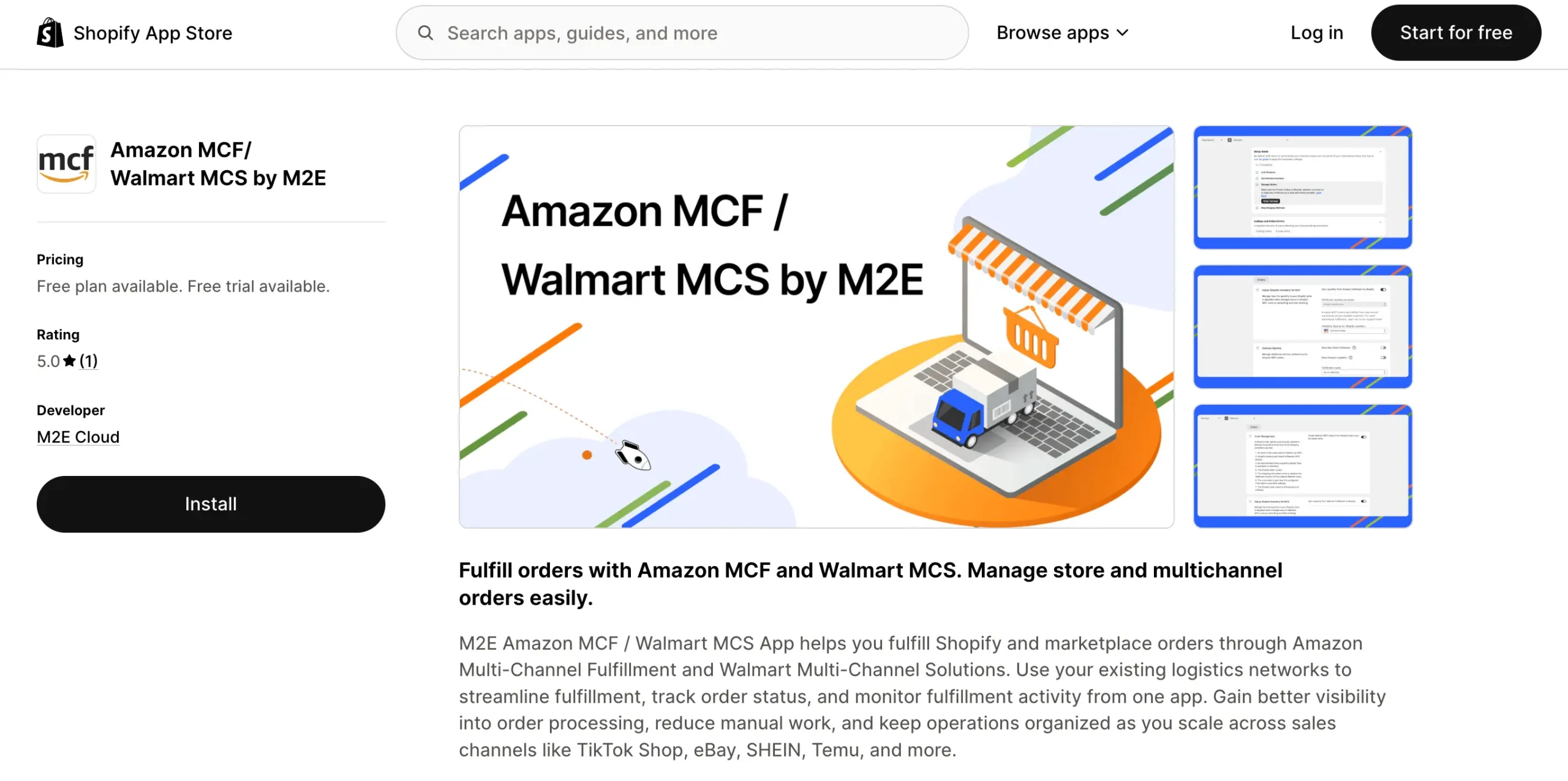
For Amazon MCF, M2E can send eligible orders to Amazon, where they are packed, shipped, and delivered using FBA inventory. This can work for orders from Shopify and marketplaces such as eBay, TikTok Shop, Kaufland, Walmart, Shein, and Temu.
For Walmart MCS, M2E helps route eligible orders to Walmart Fulfillment Services and keeps stock and tracking data synced.
Shipping settings can work differently by marketplace. For eBay, M2E lets sellers set shipping policies with delivery options, rates, package details, and shipping rules.
For other channels, M2E works with the shipping templates already set up in the seller’s marketplace account. This helps keep fulfillment settings clear before orders come in.
What Becomes Important as You Scale?
As your marketplace business grows, more details start to matter. Returns, compliance, analytics, tax data, and support may not seem urgent at the start. But they become harder to manage when you sell across several marketplaces and work with a larger catalog.
6. Returns and cancellations
Returns and cancellations affect more than refunds. They can change stock levels, order status, customer experience, and marketplace performance.
Before choosing a Shopify marketplace integration, check if it can help you:
- show canceled orders;
- update stock after cancellations or returns;
- support refund and return workflows;
- make it clear when returns still need to be handled in the marketplace.
💡 How does M2E handle returns? M2E Multichannel Connect also lets you reserve part of your stock for a marketplace. This helps avoid overselling when the same item is listed on several channels.
M2E supports refund and return sync for Temu orders. It can handle refund-only, return-and-refund, and partial refund cases. Stock updates only when items are physically returned.
For Amazon, M2E also supports seller-initiated order refunds, helping sellers manage refund cases with more control.
7. Marketplace compliance
Compliance is an important part of marketplace selling. Each channel may have its own rules for product safety, categories, identifiers, and required attributes.
Before choosing a marketplace integration, check if it supports:
- GPSR details for EU sales;
- marketplace category requirements;
- product identifiers;
- restricted product rules;
- required listing attributes;
- fitment data for eBay Motors parts.
💡 How does M2E handle compliance? M2E Multichannel Connect helps sellers manage required marketplace data during listing setup. It supports GPSR and various compliance, depending on the marketplace, which is useful for sellers working with EU product safety rules or selling on different channels.
You can set up attribute mapping once by matching marketplace requirements with Shopify product data or metafields. Next time, M2E can auto-fill these details based on the selected category. This saves time and helps keep listing data complete.
8. Sales and performance tracking
When you sell on several marketplaces, you need more than order and inventory sync. You need clear data to decide what to restock, promote, reprice, or improve.
Useful analytics should show:
- revenue by channel;
- total sales and orders;
- best-selling products;
- most-canceled products;
- fees and promotions;
- sales trends by period;
- customer data by location.
💡 How does M2E handle analytics? M2E Analytics gives you one place to review sales data across TikTok Shop, eBay, Walmart, Temu, and Amazon.
The dashboard helps you track:
- Sales by channel to compare marketplace results.
- Orders and revenue to see business growth over time.
- Product performance to find top-selling and weak items.
- Brand and category data to understand what drives sales.
- Cancellation trends to spot products or channels that need attention.
You can also filter product data by brand or category. This makes it easier to compare results, find stronger products, and fix listings that don’t perform well.

9. Tax and financial operations
Tax and finance needs can differ by region, marketplace, business model, and accounting setup. That is why your integration should help keep order data clear and consistent.
Before choosing a Shopify marketplace integration, check how it handles:
- tax data from marketplace orders;
- invoice-related details;
- marketplace fees;
- payout records;
- accounting workflows;
- profitability by channel.
💡 How does M2E handle taxes? M2E Multichannel Connect sends tax details from marketplace orders to your store based on your tax settings. It can use marketplace tax data when available, your store settings, or a standard tax rate based on buyer location when tax data is missing.
10. Customer support
Support matters when your listings, stock, orders, and prices depend on sync. If something goes wrong, it can affect active listings, order flow, and marketplace performance.
Before choosing a Shopify marketplace integration, check if the provider offers:
- Onboarding support for setup and first sync;
- Help with marketplace errors when listings fail, or orders don’t sync;
- Listing troubleshooting for product data, categories, and attributes;
- Support for complex catalogs with many SKUs or variations;
- Clear documentation for daily tasks and settings;
- Fast response times when your sales workflow is affected.
💡 How does M2E handle support? M2E has a human support team ready to help with questions and setup issues. Sellers can get help with a range of tasks, from listing services to setting up custom attributes.
This is useful when you move from manual marketplace management to a connected workflow and need extra guidance.
Instead of the Conclusion: Top Shopify Marketplace Integrations to Choose From
Choosing a marketplace app is easier when you start with your sales channels. A tool built for one marketplace may work well for a focused setup. But if you sell on several channels, you may need stronger sync and more control.
We’ve compared Shopify marketplace integrations for different selling needs, so you can review the options that match your next step.
- Best Shopify eBay integration apps for sellers who want to connect Shopify with eBay.
- Shopify Temu apps for inventory and order management for sellers expanding to Temu.
- Top Shopify TikTok Shop apps for sellers growing on TikTok Shop.
- Best Shopify Amazon integration apps for sellers who want to connect Shopify with Amazon.
- Mirakl Connect vs M2E Multichannel Connect for Shopify sellers working with Mirakl-based marketplaces.
- Must-have Shopify apps for multichannel sellers for sellers managing several channels.
Use these comparisons to check which apps match your current setup and which ones can support your next sales channel.
M2E Multichannel Connect is built for Shopify sellers who want to sell across more channels without adding more manual work. With M2E, you can start with one marketplace and add another without rebuilding your workflow.
We support growing catalogs, provide free analytics for all connected channels, and our support team is always ready to help.
Explore our Shopify integration and manage marketplace growth from one dashboard.